

Digital Field Ticket System: How It Pays For Itself In One Billing Cycle
The Invoice That Never Gets Sent Is The Most Expensive One
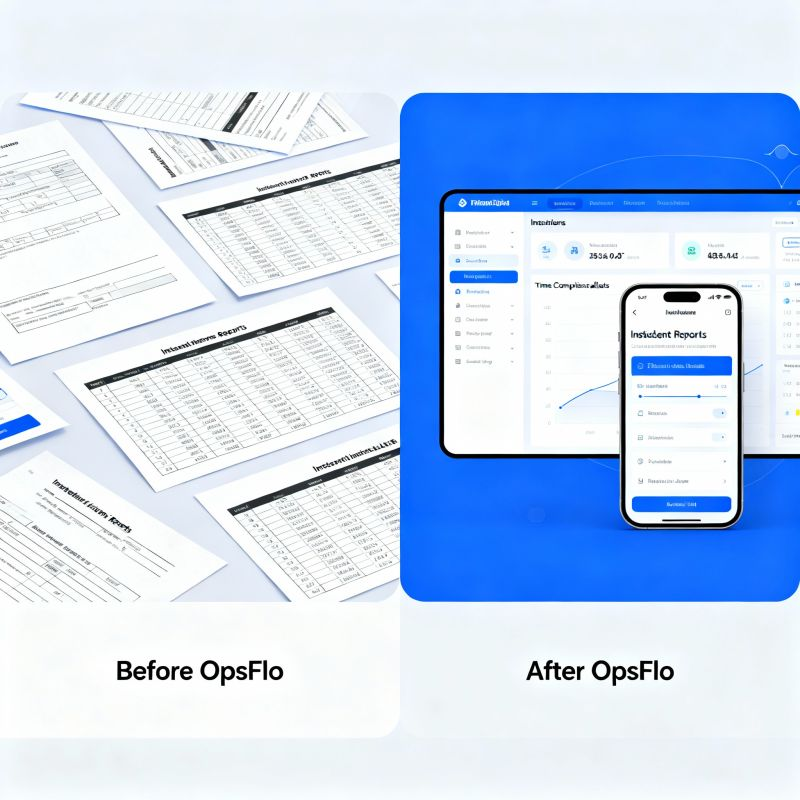
Every morning, your dispatcher prints tickets from yesterday’s runs. The pumper signs them. The company man signs them. Someone drives them back to the office, or scans them at 4:00 PM. Then your billing clerk spends three hours deciphering handwriting, matching ticket numbers to job codes, and chasing missing signatures. That ticket sits in a stack for three or four days before it becomes an invoice. You are financing that delay with your own cash. A digital field ticket system compresses that cycle from days to minutes. This guide shows you exactly how the math works, and why the system pays for itself before the next statement closes.
I have spent thirty years in this business. I have watched wireline crews freeze in the North Dakota wind waiting for paperwork. I have seen vacuum truck operators in the Permian lose a full day’s revenue because a company man initialed the wrong box. The problem is never the work. The problem is the paper trail that follows the work. When you digitize that trail, you do not just speed up the office. You change the cash position of the entire company.
The Real Financial Drain: Where Your Margin Disappears
Let us start with the arithmetic that matters. The average oilfield service invoice is $18,000. The average time from job completion to invoice submission in a manual system is 6.2 days. That is the industry benchmark I have seen across the Delaware Basin, the Midland Basin, and the Haynesville. If your cost of capital is 8 percent per year, that delay costs you about $24.50 per day per invoice. That sounds small. Multiply it by 300 invoices a month and you are bleeding $7,350 a month just in carrying costs. That is $88,200 a year that buys you nothing.
But the carrying cost is the smallest part of the wound. The larger cost is the billing cycle itself. A manual system requires a full-time clerk to rekey data. That clerk costs you $45,000 a year with burden. They make mistakes. Industry data on manual rekeying shows a 2.1 percent error rate on line items. On a $500,000 monthly revenue base, that is $10,500 in disputed charges, short pays, and rework. You are not just slow. You are inaccurate.
The Monthly Drain of Manual Ticketing
Carrying cost on 300 invoices x 6.2 days delay: $7,350
Rekeying labor (clerk time): $3,750
Error rate disputes and short pays: $10,500
Total monthly loss: $21,600
Total annual loss: $259,200
That is the number you are living with right now. You may not see it on a single profit and loss statement because it is spread across labor, interest, and bad debt. But it is real. A digital field ticket system attacks all three lines at once. It removes the delay. It removes the rekeying. It removes the transcription errors at the source.
Why Spreadsheets and Generic Apps Fail in the Field
I have seen operators try to solve this with a shared spreadsheet. It works for about two weeks. Then the toolpusher in the Bakken loses cell signal. The dispatcher in Midland updates the wrong row. The office manager sorts by date instead of well ID. The spreadsheet becomes another source of truth that contradicts the paper tickets. You now have two records that do not match, and you spend hours reconciling them.
Generic field service apps fail for a different reason. They are built for plumbers and HVAC technicians. They do not understand a triplex mud pump rental that runs for 14 hours with a standby rate after hour 8. They do not understand a swab rig ticket that needs separate line items for rig time, truck time, and disposal fees. They do not handle the complexity of a frac manifold spread where one ticket covers four different service lines and three different vendors.
The oilfield has its own logic. Your ticket needs to capture the pumper’s initials, the company man’s approval, the ticket number sequence, and the specific rate card for that customer. A generic tool cannot do that. You need a digital field ticket system built for the way oilfield services actually bill, with rate structures that match your service catalog and approval workflows that match your customer’s requirements.
The Step-by-Step Operational Framework
Here is how a proper digital field ticket system changes the workflow from the cab of the truck to the CFO’s desk.
Step 1: Capture at the Point of Work
The operator opens the app on a tablet or phone at the wellsite. The job number is already loaded. The rate card is already loaded. The operator selects the service, enters the start time, and the clock starts. No handwriting. No lost tickets. No illegible notes about waiting on location.
The system captures the exact time the crew arrived and the exact time they finished. It calculates the duration automatically. It applies the correct rate, including overtime or standby rates if your contract specifies them. The operator adds notes and photos of the equipment condition. This is the moment where data accuracy is won or lost.
Step 2: Digital Signatures at the Wellsite
The company man does not have to find a pen. He reviews the ticket on the operator’s device or on his own phone. He sees the line items, the rates, and the total. He signs with his finger. The ticket is locked. No one can alter it after signature. This eliminates the dispute that comes when a ticket is changed after the fact.
In the Permian, where company men are managing multiple frac crews and workover rigs simultaneously, this speed matters. They do not have time to review a paper ticket at the end of a 16 hour shift. They will sign a digital ticket in 30 seconds because the data is already correct. They will push back on a paper ticket that has to be decoded.
Step 3: Instant Transmission to the Office
The moment the company man signs, the ticket transmits to your office. No one drives it back. No one scans it. No one files it. The ticket sits in a digital queue, ready for review by your billing team. If you use Cortex, OpenInvoice, or PIDX for customer approvals, the system can format the data for those portals automatically.
This is the step that collapses your billing cycle from 6.2 days to under 24 hours. The job is done on Tuesday. The invoice is in the customer’s approval queue on Wednesday morning. The check is in your account on Friday. That is the difference between financing your customer’s operations and getting paid for your own.
Step 4: Automated Invoice Generation
The system creates the invoice from the approved ticket. No rekeying. No spreadsheet formulas. No manual calculation of sales tax or fuel surcharges. The invoice matches the ticket exactly because it is the same data. Your billing clerk now reviews exceptions instead of typing numbers. That clerk can handle three times the volume without working overtime.
Case Study: A Permian Wireline Operator’s Turnaround
Let me give you a concrete example from a wireline operator running two units in the Delaware Basin. They were doing about $1.2 million a month in revenue. Their manual process had a 5.8 day average billing delay. They had one full time billing clerk and a part time assistant who handled disputes.
They switched to a digital field ticket system in the middle of a busy month. The first billing cycle showed immediate results. Their average invoice submission time dropped to 1.1 days. That is a 4.7 day improvement on roughly 220 invoices per month.
The First Cycle Math
Average invoice value: $5,454
Invoices per month: 220
Days saved per invoice: 4.7
Carrying cost saved at 8% annual rate: $12,600 per month
Rekeying errors eliminated: 4.6 per month (average dispute value $1,800)
Total first month savings: $20,880
The system cost them less than $2,000 for that month. It paid for itself eleven times over in the first 30 days. They also found that their Days Sales Outstanding dropped from 48 days to 39 days within two months. That 9 day improvement on $1.2 million in monthly revenue freed up $360,000 in working capital. That is not a rounding error. That is a line of credit you do not have to draw.
Implementation Checklist for Supervisors and Office Dispatch
You do not need a six month IT project to make this work. You need a clear rollout plan. Here is the checklist I give every operator who asks.
- Map your rate cards first. Do not digitize a messy process. Write down every service you offer and every rate you charge. Include standby, after hours, and emergency rates. This is the foundation of the system.
- Load your customer approval requirements. Some operators require a specific company man signature. Others require a pumper and a foreman. Know the hierarchy before you go live.
- Train your field crews on one job type. Do not roll out every service line at once. Start with your highest volume service, whether that is vacuum trucks or wireline. Get that workflow perfect, then expand.
- Set a hard cutover date. Stop accepting paper tickets on a specific Monday. If you keep two systems alive, your crews will use the one that is easiest. Make the digital system the only option.
- Assign a digital champion in the field. Pick one toolpusher or crew chief who is comfortable with technology. Have them train the other crews. Peer training works better than office training.
- Review the first week’s tickets daily. Look for missing data, incorrect rate codes, or signature issues. Fix them immediately. Do not let bad habits form.
- Measure your billing cycle weekly. Track the time from job completion to invoice submission. Share that number with the whole company. Make it a game to get it under 24 hours.
The office side needs just as much attention. Your dispatcher needs to know how to assign jobs in the system. Your billing clerk needs to know how to review and release invoices. Your accounts receivable person needs to know how to match payments to tickets. Run one full cycle test with fake data before you go live. It takes an afternoon and saves you a week of frustration.
Frequently Asked Questions
What if my crews work in areas with no cell service?
This is the first question every operator asks me. The answer is that a proper digital field ticket system works offline. The operator fills out the ticket in the app. The app stores it on the device. When the truck drives back into range, the ticket transmits automatically. You do not need real time connectivity at the wellsite. You need a system that syncs when connectivity returns.
Will the company men accept digital signatures?
Yes, and they will prefer it. Company men are under pressure to get accurate tickets approved quickly. They hate chasing paper just as much as you do. In my experience, the resistance comes from the office staff who fear losing control, not from the field. Once the company man sees that the ticket is accurate and requires one tap instead of a full review, they adopt it fast.
How does this integrate with OpenInvoice or Cortex?
Most major operators use OpenInvoice or Cortex for supplier invoice approval. A good digital field ticket system will export your invoice data in the format those portals require. You still submit through the portal, but you submit the same day the job is done instead of a week later. You do not have to change your customer’s process. You just feed it faster and cleaner.
What is the real cost of the system?
Pricing varies by vendor and volume. Most systems charge a monthly subscription per user or a percentage of transactions. A reasonable budget is $500 to $2,500 per month for a mid sized operation. Compare that to the $21,600 monthly drain we calculated earlier. The system pays for itself in the first billing cycle, not in the first year. Use an ROI calculator to run your own numbers before you commit.
The Executive Takeaway
You are in the business of moving fluids, pulling pipe, and making hole. You are not in the business of pushing paper. But the paper determines whether you get paid for the work you do. A slow billing cycle is a silent tax on every invoice you send. It costs you carrying costs, labor, and accuracy.
The fix is not complicated. A digital field ticket system captures data at the source, gets signatures at the wellsite, and transmits the invoice to your customer the same day. The arithmetic is undeniable. If you bill $500,000 a month, you are likely losing over $20,000 a month to manual processes. That is $240,000 a year that belongs in your pocket.
You do not need to trust my word on this. You need to trust your own numbers. Run the calculation for your operation. Look at your average invoice value, your billing delay, and your error rate. Then compare that to what a system costs. The answer will be the same every time.
The operators who adopt digital field ticketing are not just modernizing their back office. They are extending their working capital, reducing their disputes, and building a reputation for reliability with the company men who matter. The operators who wait are financing their competitors. Do not be one of them.
Start with a single service line. Measure the difference. Then expand. If you want a clearer picture of what this means for your specific operation, request a revenue diagnostic and I will walk you through the numbers for your fleet. The first step is admitting that the paper trail is costing you more than the accelerated oilfield billing system you have been putting off.
No comments yet
Be the first to share your thoughts.
Leave a Reply
Comments are disabled on the shared-hosting build. If you want to respond to this article, email info@ops-flo.com and mention "Digital Field Ticket System: How It Pays For Itself In One Billing Cycle".
Contact OpsFlo