

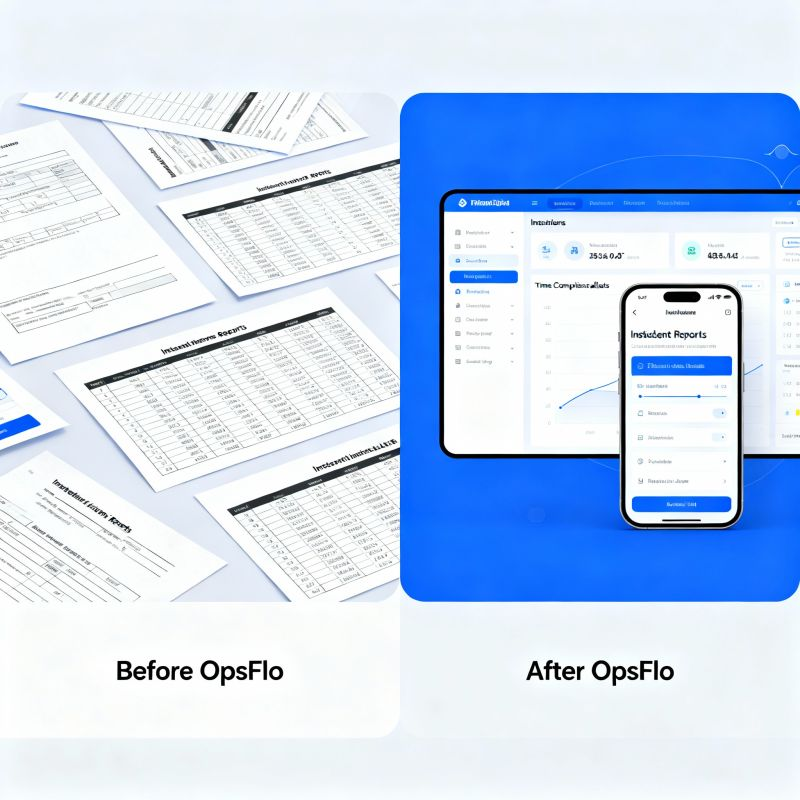
Digitizing Field Tickets Benefits That Show Up In The Next Invoice Cycle
The oilfield runs on paper tickets. Every frac crew, wireline unit, and vacuum truck generates a ticket for every job. Those tickets sit in a glove box, a dispatcher’s inbox, or a company man’s clipboard for days. That delay is not a paperwork problem. It is a cash flow problem. Understanding the specific digitizing field tickets benefits is the first step toward fixing the revenue cycle that keeps your operation solvent.
I have spent decades watching operators lose money not on the wellhead, but on the back end. The pump runs. The sand flows. The crew goes home. Then the invoice sits for two weeks because the ticket is illegible or missing a signature. This guide is for the operations executive, the field supervisor, and the service company owner who wants to see real cash in the next cycle, not the next quarter.
The Core Operational Breakdown: Where Your Money Actually Gets Stuck
A field ticket is the only legal document that proves work was performed. It contains the date, the location, the equipment hours, the material quantities, and the signatures of the people who authorized the work. Without that document, you have no receivable. You have a promise.
Think about the journey of a single ticket in the Permian Delaware Basin. A pumper finishes a swab job at 2:00 PM. He writes the ticket by hand. The handwriting is rushed because the next well is waiting. He drops the ticket at the field office at 6:00 PM. The office clerk enters the data into a spreadsheet the next morning. The spreadsheet sits until the billing clerk reconciles it against the PO numbers. That reconciliation happens on Friday. The invoice goes out the following Tuesday. That is a six day lag on a single ticket.
Now multiply that lag by every ticket your operation generates in a month. A mid-sized wireline company running three units might generate 150 tickets a month. A large frac fleet can generate over 1,000. Each ticket carries an average invoice value between $5,000 and $50,000 depending on the service line. The lag is not just administrative friction. It is millions of dollars in working capital sitting in a filing cabinet.
The operational breakdown is simple. You have three parties who need the ticket: the field crew who creates it, the office staff who bills it, and the customer who approves it. Paper forces these three parties to work sequentially. Digital allows them to work concurrently. When the crew submits the ticket from the cab of the truck, the office can review it while the crew is still rigging down. The customer can approve it before the crew reaches the next location.
The Real Financial Drain: Show Me The Math
Let me show you why digitizing field tickets benefits your bottom line more than any other back office change you can make this quarter. We will use concrete arithmetic, not vague promises.
Consider a pressure pumping company running two fleets in the Midland Basin. They generate 200 tickets per month. The average ticket value is $18,000. That is $3.6 million in monthly revenue. Their current DSO, days sales outstanding, is 58 days. That means they carry over $6.9 million in outstanding receivables at any given moment.
The Paper Ticket Cost Model
Monthly tickets: 200
Average ticket value: $18,000
Monthly revenue: $3,600,000
Current DSO: 58 days
Outstanding receivables: $6,960,000
Cost of capital at 8% interest: $46,400 per month just to carry those receivables.
Now apply digital ticketing. The average DSO reduction from digitizing field tickets is between 12 and 18 days in oilfield services. Use a conservative 14 days. Your DSO drops to 44 days. Your outstanding receivables drop to $5,280,000. That frees up $1.68 million in cash. At an 8% cost of capital, that is a $134,400 annual savings on interest alone. That is the cost of a new company truck or a full-time hire.
But the interest savings is the small part. The bigger drain is the revenue leakage from disputed or rejected tickets. Industry data from operators using PIDX standards and OpenInvoice portals shows that between 3% and 7% of manual tickets get rejected on first submission. The reasons are always the same. Missing signature. Wrong PO number. Tare weight discrepancy on a vacuum truck load. Illegible quantity on a sand ticket.
Use a 5% rejection rate on that same $3.6 million monthly revenue. That is $180,000 in tickets that do not enter the billing cycle on time. Each rejected ticket takes an average of 9 additional days to correct and resubmit. That delay pushes your effective DSO even higher. Digital ticketing with validation rules catches these errors at the point of entry. The crew cannot submit a ticket without a PO number. The system flags a tare weight that is out of range before the ticket leaves the truck.
Why Generic Solutions and Spreadsheets Fail in the Field
I have seen operators try to solve this with a shared Google Sheet or a generic project management tool. It does not work. The oilfield has unique constraints that consumer software does not address.
First, you have zero connectivity. A wireline unit operating in the Haynesville is often in a dead zone for cellular service. A spreadsheet requires a connection. A proper field ticketing app has offline mode. The crew enters the ticket data on the iPad or phone in the cab. The app stores it locally. When the device finds a signal, the ticket syncs automatically. The crew does not have to think about it.
Second, you have complex pricing structures. A frac job is not a flat rate. It involves a mobilization fee, a standby rate per hour after the first two, a per-pound sand price that changes with the market, a chemical additive fee, and a pump-down charge. A spreadsheet cannot handle the conditional logic required to calculate these correctly. The ticket must be priced by the system based on the contract terms, not by a clerk with a calculator.
Third, you have the signature problem. The company man on location is the only person authorized to approve the ticket. He is busy. He is managing a rig, a frac spread, or a workover operation. He will not sit down at a computer to approve a ticket. He will sign a tablet if you hand it to him. But he will not log into a portal. A digital field ticket solution must be built for the field, not for the office.
Fourth, you have the integration problem. Your customer, the E&P operator, uses a system like OpenInvoice or Cortex to manage supplier invoices. If your digital ticket cannot produce a format that feeds into those systems, you have created a new problem. The ticket must be structured to meet PIDX standards or at least be exportable into the formats those portals accept.
Step-by-Step Operational Framework: From Field to Cash
Here is the operational framework that works. This is not theory. This is the sequence that top-performing service companies use to compress their billing cycle.
Step 1: Capture at the Point of Work
The ticket is created on a ruggedized tablet or phone at the wellsite. The crew selects the job number, the well name, and the equipment used. For a vacuum truck, the operator enters the load count and the tare weight. For a frac fleet, the data enters automatically from the blender and the data van. The system calculates the volumes and the hours from the job start and end times. No manual arithmetic.
Step 2: Validate Before Submission
The system checks the ticket against the contract rules before the crew hits submit. Is the PO number active? Is the rate within the contracted range? Are the hours within the allowed window? If something is wrong, the system flags it immediately. The crew fixes it on the spot while the details are fresh. This single step eliminates the majority of invoice rejections.
Step 3: Capture the Electronic Signature
The company man reviews the ticket on the tablet. He sees the same numbers the crew sees. He signs with his finger or a stylus. The signature is time-stamped and geotagged. That signature is legally binding. It is the same as a wet signature on a paper ticket. The customer cannot later claim they never authorized the work.
Step 4: Immediate Sync and Office Review
The ticket syncs to the office the moment the device has a signal. The billing clerk reviews the queue. The ticket is already priced. The clerk checks for exceptions only. The ticket moves to the invoice queue the same day, not three days later.
Step 5: Automated Invoice Generation and Submission
The system aggregates the approved tickets into an invoice. The invoice is generated in the format required by the customer's portal. It is submitted electronically. If the customer uses OpenInvoice, the invoice goes directly into that workflow. The approval cycle starts immediately.
Step 6: Track and Follow Up
The system tracks the invoice status. If the customer has not approved it within five days, the system alerts the accounts receivable team. They follow up with a specific reference to the invoice number and the ticket numbers. No more guessing which invoice is stuck.
Permian Field Case Study: Exact Metrics from a Real Operation
Let me walk you through a case study from a swab rig operator in the Permian. This operator runs 12 swab rigs across the Delaware and Midland basins. They service workover wells for three different E&P operators. Before digital ticketing, their process was fully manual.
The swab rig operator would write the ticket by hand at the end of each job. The ticket included the rig hours, the depth swabbed, the fluid recovery volume, and the number of runs. The operator would drop the tickets at the field office in Odessa once a week. The office clerk would spend two full days per week entering tickets into QuickBooks and matching them against PO numbers. Their DSO was 62 days.
They switched to a digital field ticketing system. The change was not gradual. It was immediate. The swab rig operators now enter the job data on their phones before they leave the well location. The company man signs the tablet on site. The ticket syncs to the office within minutes.
Results After 90 Days
Tickets per month: 140
Average ticket value: $4,200
Monthly revenue: $588,000
Ticket rejection rate: Dropped from 8% to 1%
DSO: Dropped from 62 days to 41 days
Cash freed up: $411,600
Office data entry time: Reduced from 16 hours per week to 3 hours per week.
The operator told me the most surprising benefit was not the cash flow. It was the reduction in disputes. When a customer disputed a paper ticket, the operator had to find the carbon copy, fax it, and wait for a response. With digital tickets, the customer already approved the work on site. The dispute rate dropped because the customer's own field representative had signed the digital record. There was nothing to argue about.
This operator now uses the freed-up office time to focus on collections and on bidding for new work. They are not chasing paper. They are chasing revenue.
Implementation Checklist for Supervisors and Office Dispatch
You cannot just buy software and expect results. You must implement it with discipline. Here is the checklist I recommend to every client.
- Audit your current ticket flow. Count every ticket from the last 30 days. Identify the average time from job completion to invoice submission. You cannot improve what you do not measure.
- Define your pricing rules in the system. Every service line, every customer contract, every rate sheet. This is the hardest part. Do it before you deploy to the field.
- Train the field crews first. Show them how to enter data and capture the signature. Emphasize that this saves them from rework. The crew will adopt the tool if it makes their life easier.
- Set a hard cutover date. Stop accepting paper tickets after that date. If you keep two systems running, the crew will default to the old one.
- Configure the validation rules. Require the PO number. Require the customer job number. Set tolerance limits for weights and volumes.
- Establish a daily review cadence. The office dispatcher reviews the ticket queue every morning. Tickets that are incomplete get flagged back to the crew the same day.
- Integrate with your accounting system. The invoice should generate automatically from the approved tickets. Do not re-enter data.
- Measure your DSO weekly. Track it against the baseline you established in step one. Share the number with the whole team. Make it a game.
The implementation takes two to three weeks if you have your pricing data organized. The field training takes one day per crew. The payoff starts in the first invoice cycle.
Frequently Asked Questions
What if my crews are not tech-savvy?
The current generation of field hands grew up with smartphones. They can navigate a ticket entry screen faster than they can fill out a paper form. The key is to design the form for the field. Big buttons. Dropdown menus. Minimal typing. If the system requires the crew to type long descriptions, they will hate it. If it is three taps and a signature, they will use it without complaint.
Is an electronic signature legally binding in oilfield services?
Yes. The Uniform Electronic Transactions Act and the federal ESIGN Act make electronic signatures legally equivalent to wet signatures in all 50 states. The signature must be captured with intent, which means the signer must actively sign, not just check a box. A finger or stylus signature on a tablet meets this standard. Oil and gas operators accept these signatures routinely in current operations.
How does this work with operator portals like OpenInvoice or Cortex?
Your digital ticketing system should export invoices in the formats these portals accept. Many operators require suppliers to submit invoices through these portals. The digital system prepares the invoice, formats it correctly, and either submits it via API or provides a file you upload to the portal. The key is to check the integration capability before you buy. Ask specifically about PIDX and OpenInvoice compatibility.
What is the single biggest mistake companies make when digitizing field tickets?
They treat it as a data entry tool instead of a revenue cycle tool. They digitize the ticket but keep the old billing process. The ticket is digital, but the invoice still takes a week to generate. You must digitize the entire chain from field capture to invoice submission. That is where the accelerated oilfield billing value lives. If you only digitize the first step, you only get a fraction of the benefit.
Clear Executive Takeaway
The decision to digitize field tickets is not a technology decision. It is a working capital decision. Every day you delay is another day your revenue sits in a pile of unprocessed paper. The arithmetic is clear. A 14 day reduction in DSO on $3.6 million in monthly revenue frees up $1.68 million in cash. That cash is not a theoretical benefit. It is money you can use to pay down debt, buy equipment, or fund growth.
The operators who adopt digital field ticketing are not just modernizing their back office. They are building a competitive advantage. They can offer better payment terms to their customers because their own cycle is faster. They can bid more aggressively on new work because they have better cost data. They can scale their operations without adding administrative headcount.
Start by measuring your current DSO and your ticket rejection rate. Then run the numbers through an ROI calculator to see what your specific operation stands to gain. If the math shows a six figure or seven figure benefit, and it will for most operations, then make the change.
Do not wait for the next quarter. Do not wait for the next audit. The next invoice cycle is your opportunity. Put the digital ticket in the hands of your field crews this week. The
No comments yet
Be the first to share your thoughts.
Leave a Reply
Comments are disabled on the shared-hosting build. If you want to respond to this article, email info@ops-flo.com and mention "Digitizing Field Tickets Benefits That Show Up In The Next Invoice Cycle".
Contact OpsFlo