

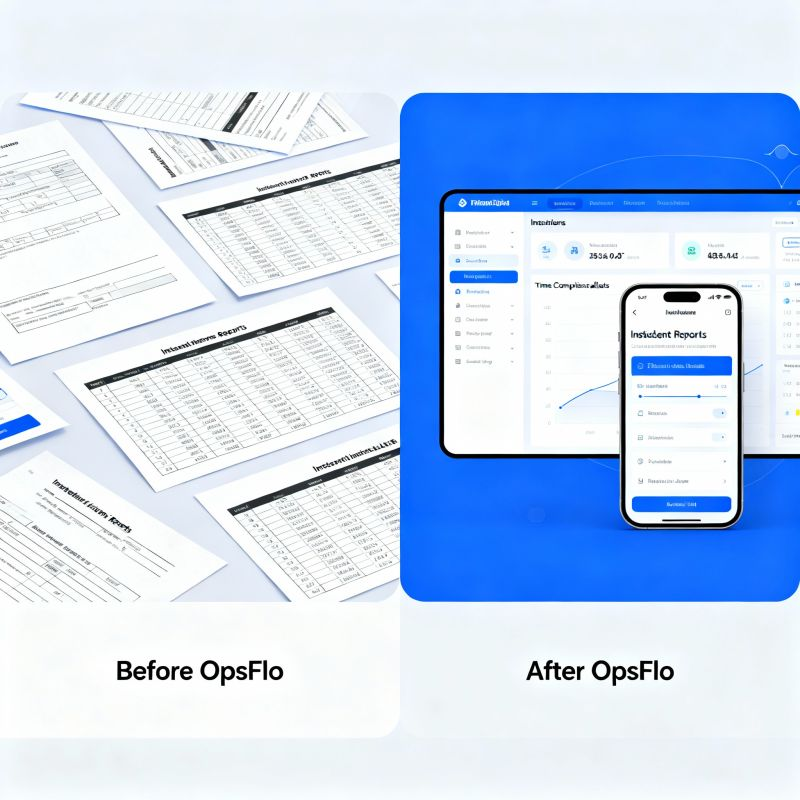
Eliminate Unbilled Work Orders Before They Become Bad Debt
The hard truth: Every service company in the Permian, Bakken, and Eagle Ford runs on the same fuel: completed field tickets converted to cash. When tickets sit unsigned, when job numbers get transposed, when a pumper forgets to log the standby hours, you are not just losing time. You are financing your customer's operations with your own working capital. This guide shows you exactly how to eliminate unbilled work orders before they metastasize into bad debt, and it starts with understanding where the money actually disappears.
The Core Operational Breakdown: Why Tickets Go Unbilled
An unbilled work order is any job you performed where the revenue has not been recognized because the paperwork is incomplete, disputed, or lost. It is not a billing problem. It is an operations problem that shows up in the accounting department three weeks late.
Consider the anatomy of a typical frac spread or a swab rig crew. The field ticket is the only legal document that proves you provided a service. It must contain the customer PO number, the exact equipment hours, the pump rate, the fluid volumes, the additive percentages, and the signature of the company man or his designated representative. That ticket is your invoice. Without it, you have nothing.
But the field does not operate on paperwork schedules. The toolpusher is worried about hole conditions. The wireline engineer is watching the depth counter. The dispatcher is rerouting vacuum trucks because a location is flooded. In that chaos, the ticket gets filled out at 3 AM, handwritten, with a grease-stained pen, on a carbon copy that smudges. The company man signs it without checking the math because he has a drill string to trip. That ticket goes into the glove box, then into a pile on the dispatcher's desk, then into a scanner three days later, then into an email to a clerk who rekeys it into the billing system.
Here is where the breakdown happens. The clerk finds a discrepancy between the ticket and the PO. The hours exceed the authorized limit. The unit number does not match the contract rate card. The ticket is kicked back to the field for correction. The field supervisor is now on another job. He does not remember the exact details. The ticket sits in limbo. Thirty days later, the customer's AP department closes the month. Your revenue is now aged, contested, or simply written off as uncollectible.
To eliminate unbilled work orders, you must attack the root cause: the delay between job completion and verified data entry. Every hour that passes after the job is done increases the probability of dispute by a measurable margin. After 48 hours, the probability of a clean, undisputed invoice drops by nearly half because memory fades and personnel rotate.
The Real Financial Drain: Show the Math
Let us put real numbers on this problem. Assume you run a mid-sized pressure pumping company in the Midland Basin with 12 frac spreads. Your average invoice is $85,000. You generate 25 invoices per week across all crews. That is $2.125 million in weekly revenue, or roughly $110 million annually.
Industry benchmarks for oilfield service companies show that between 5% and 12% of all work orders have some form of billing exception that delays payment. Let us be conservative and use 7%. That means every week, you have $148,750 in revenue that is not billed cleanly on the first pass. Over a year, that is $7.7 million sitting in exceptions.
Now apply your cost of capital. If your weighted average cost of capital is 10%, and those exceptions take an average of 45 days to resolve instead of the ideal 5 days, you are carrying an extra 40 days of float on $7.7 million. The carrying cost is approximately $84,000 per year just in interest. That is money you paid to the bank so your customer could take its time approving your work.
Quick arithmetic for your operation:
- Monthly revenue: $9.2 million
- Exception rate: 7%
- Monthly exception value: $644,000
- Average resolution time: 45 days
- Annual cost at 10% capital: $70,800
- Plus admin labor to chase tickets: 2 full-time clerks at $65,000 each loaded = $130,000
- Plus disputed write-offs (assume 1% never collected): $1.1 million
Total annual leakage: over $1.3 million. That is your profit gone.
You cannot afford to ignore this. The operators you work for, whether ExxonMobil in the Delaware or Chesapeake in the Haynesville, have their own DSO targets. They will not pay you faster out of charity. They will pay you when the invoice is perfect, matches the PO, and passes their automated validation rules through OpenInvoice or Cortex. If your ticket does not match, the system rejects it automatically. No human looks at it. It just sits in a queue until someone from your office calls and begs.
Why Generic Solutions and Spreadsheets Fail in the Field
Many companies try to fix this with a shared Excel workbook or a Google Sheet. The dispatcher logs the job number, the field supervisor emails a photo of the ticket, and the billing clerk manually reconciles. This works for about two weeks.
The problem is not the tool. The problem is the field. A spreadsheet cannot validate a signature against a PO. It cannot flag that the standby rate on ticket 4472 does not match the contract rate for Well Servicing Package B. It cannot remind a supervisor that he forgot to log the demurrage hours on the frac manifold. It cannot enforce a workflow that requires the ticket to be approved before the crew leaves location.
Spreadsheets also create a second data entry point. The ticket is written by hand in the field. Then it is rekeyed into the spreadsheet. Then it is rekeyed again into the accounting system. Each rekeying is an opportunity for a transposed digit. A 1,250 bbl job becomes 1,520 bbl. A 14-hour day becomes 41 hours. The customer's system catches the error, rejects the invoice, and now you have a dispute that takes three phone calls and two weeks to resolve.
You need a system that captures the data at the source, in the field, on the device the supervisor already carries. You need validation rules that run before the ticket is submitted, not after. You need a direct digital handoff to your billing system that bypasses the rekeying entirely. This is not theoretical. It is available today, and it is how you eliminate unbilled work orders at the source.
Step-by-Step Operational Framework to Eliminate Unbilled Work Orders
Here is the framework that works across basins, from the Bakken to the Eagle Ford. It is not a software pitch. It is a set of operational disciplines that you must enforce, and software simply makes the enforcement possible.
Step 1: Standardize the Ticket Template Down to the Field Level
Every crew, every service line, every customer must use the same core ticket structure. The ticket must include mandatory fields that cannot be bypassed. These are the non-negotiables: customer PO number, well name and API number, job date, start and end time, equipment unit numbers, crew names, service description with code, quantities (hours, barrels, miles, tons), rate per unit, and the signature block.
If you run multiple service lines, such as wireline and coiled tubing, you will have service-specific fields. But the header and the financial fields must be identical. This standardization allows your billing clerk to process any ticket from any crew without looking up a separate format.
Step 2: Enforce Digital Capture at the Job Site
The supervisor must complete the ticket on a ruggedized tablet or phone before the last truck leaves the location. No exceptions. If the company man has not signed, the supervisor does not leave. This is a cultural change, and it starts with the dispatcher refusing to assign the next job until the previous ticket is submitted.
Digital capture gives you a timestamped record. You know exactly when the ticket was created, when it was signed, and when it was transmitted. This eliminates the "it is in the mail" excuse and the "I gave it to the pumper" black hole. A digital field ticketing system enforces this because the software will not let the supervisor submit an incomplete form.
Step 3: Automate Validation Before Submission
The system must check the ticket against your contract rate card and the customer PO in real time. If the rate for the triplex pump is $1,850 per hour but the ticket says $1,950, the system flags it immediately. The supervisor corrects it on the spot, while the memory is fresh, instead of getting a rejection email from the customer's AP system three weeks later.
Validation also catches quantity errors. If the ticket says 12 hours on a swab rig but the job ticket from the operator says 8, the discrepancy appears before the customer sees it. You resolve it with the company man before the crew rolls off location.
Step 4: Route for Instant Approval
Once the ticket is submitted digitally, it routes automatically to the appropriate approver. This might be the operations manager, the customer's field representative, or directly to the customer's AP portal via PIDX integration. The goal is to have a fully approved, validated invoice in the customer's system within 24 hours of job completion.
This speed is critical. When you submit an invoice within 24 hours, you are often the first vendor in the queue for that week's payment run. When you submit it in 10 days, you are at the back of the line, and you wait another full cycle.
Step 5: Integrate Directly with Your Billing System
The final step is the handoff. The approved digital ticket must flow directly into your ERP or accounting system without rekeying. This is where you eliminate the last point of human error. If you are still printing tickets and reentering them, you are undoing all the progress you made in the field. Look for accelerated oilfield billing options that connect your field data to your back office automatically.
Permian Field Case Study: Exact Metrics from a Midland Operator
Let us look at a real scenario from a well servicing company operating in the Permian Delaware basin, just outside of Carlsbad, New Mexico. This company ran 14 swab rigs and 6 vacuum trucks. Their billing process was manual. Field hands filled out paper tickets. A clerk in Midland rekeyed them into QuickBooks. The owner was frustrated because his DSO was running at 68 days and his bank line was maxed out.
We performed an audit of their last 90 days of tickets. We found 214 tickets out of 1,850 total jobs that had discrepancies. That is an 11.6% exception rate, higher than the industry average. The discrepancies broke down as follows: 92 tickets had missing PO numbers, 61 had rate mismatches against the customer contract, 38 had arithmetic errors in the extension of hours times rate, and 23 were completely missing, likely lost in a truck cab or a dispatch office.
The average value of those 214 tickets was $6,400. That is $1.37 million in revenue that was not billed correctly. Of that, they eventually collected $980,000 after an average delay of 54 days. They wrote off $210,000 as uncollectible because the customer disputed the missing PO and refused to pay. The remaining $180,000 was still in dispute at the time of the audit.
The fix was straightforward. They adopted a digital ticketing workflow with validation rules tied to their rate cards. They trained their supervisors to submit tickets before leaving location. They set a hard rule: no new job assignment until the previous ticket was approved.
The results after 90 days were dramatic. The exception rate dropped from 11.6% to 1.8%. The missing ticket count went to zero. The average time from job completion to invoice submission dropped from 9.4 days to 1.2 days. Their DSO dropped from 68 days to 41 days. That 27-day improvement on their average monthly revenue of $2.8 million freed up approximately $2.5 million in working capital. They paid down their line of credit and stopped paying overtime to the billing clerk.
The owner told me the best part was not the money. It was the sleep. He stopped waking up at 3 AM wondering which ticket was going to get kicked back this week and whether he would make payroll.
Implementation Checklist for Supervisors and Office Dispatch
You do not need to boil the ocean. Use this checklist to start eliminating unbilled work orders in your operation this week.
- Monday: Pull every open work order from your billing system. Categorize them by age: 0 to 7 days, 8 to 30 days, 31 to 60 days, over 60 days. The over-60 bucket is your bad debt risk. Assign a specific person to resolve each one today.
- Tuesday: Meet with your field supervisors. Show them the dollar value of the tickets they are missing. Do not show them a spreadsheet. Show them a check they did not receive. Explain that a missing PO number on a $12,000 ticket is the difference between a bonus and no bonus.
- Wednesday: Audit your rate cards. Pull the last 10 invoices for your top 5 customers. Compare the rates you billed against the contracts you signed. Flag every discrepancy. You are likely underbilling on at least one service line.
- Thursday: Implement a simple rule: the dispatcher cannot assign a crew to a new job if the previous job's ticket is not submitted and approved in the system. This is the single most effective control you can put in place.
- Friday: Review the week's exception report. How many tickets were rejected? Why? Create a one-page summary of the top 3 reasons for rejection. Share it with the field. Fix the root cause, not the symptom.
If you do not have a system that can enforce these rules, you will be relying on memory and goodwill. That is not a strategy. Use the ROI calculator to see what a 5% improvement in exception rate is worth to your specific revenue volume. The number will surprise you.
Frequently Asked Questions
Q: What is the difference between an unbilled work order and accounts receivable?
An unbilled work order is a job you completed but have not yet invoiced. It is not on your balance sheet as accounts receivable because you have not sent a bill. It is sitting in a limbo state between operations and finance. Accounts receivable is money that is invoiced but not yet paid. Unbilled work is more dangerous because it is invisible. You cannot collect on a bill you have not sent, and you cannot forecast cash flow accurately when you do not know your true unbilled balance.
Q: How do I calculate my true unbilled work order balance?
Take every field ticket that has been completed in the last 14 days. Subtract any ticket that has been converted to an invoice in your billing system. The remainder is your unbilled balance. Divide that by your average daily revenue to get your unbilled days. If your unbilled days are above 10, you have a process problem. Industry best practice is under 3 days.
Q: What if my customer refuses to sign the ticket at the wellsite?
This is a common tactic to delay payment. You must have a documented escalation procedure. First, notify your sales representative immediately. Second, send the unsigned ticket to the customer's field office with a request for electronic confirmation via email. Third, if the customer still refuses, you have a commercial dispute that needs executive attention. Do not let the crew leave without a signature, but if they do, you must have a digital timestamp and a photo of the work performed as evidence. This
No comments yet
Be the first to share your thoughts.
Leave a Reply
Comments are disabled on the shared-hosting build. If you want to respond to this article, email info@ops-flo.com and mention "Eliminate Unbilled Work Orders Before They Become Bad Debt".
Contact OpsFlo