

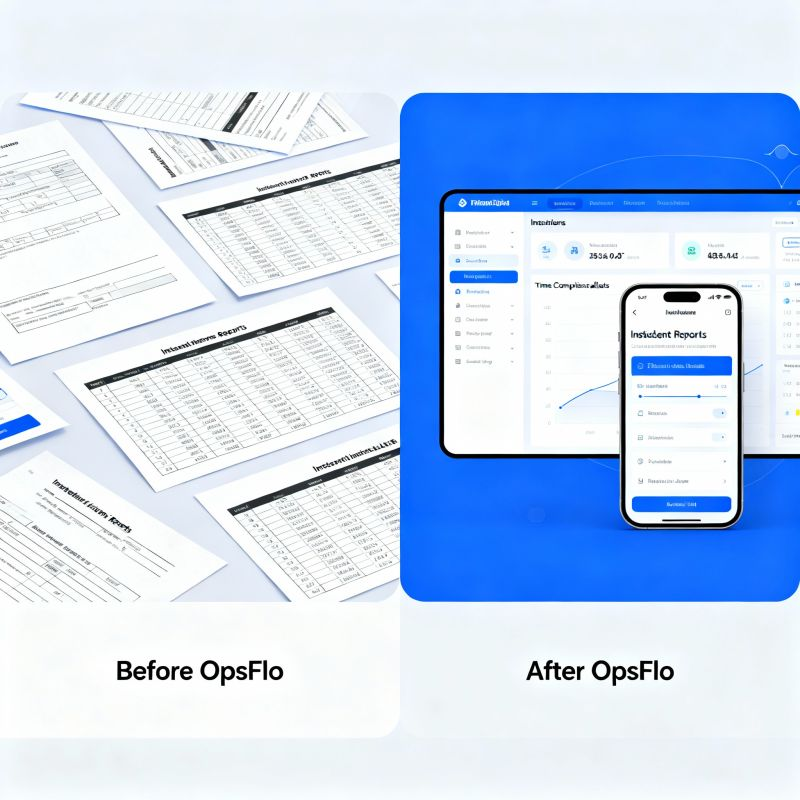
Field Ticketing Software Texas Oilfield Crews Fill Out From A Truck
Field Ticketing Software Texas Oilfield Crews Fill Out From A Truck
The company man is waiting. The dispatcher is on the radio. The pumper is staring at a pad that should have been completed forty minutes ago. In the Permian Basin, the Delaware and the Midland, time is measured in stages pumped and barrels hauled. Every hour a crew spends wrestling with paper tickets is an hour that rig is not turning to the right. This guide is about field ticketing software Texas oilfield crews can actually use from the seat of a truck, with gloves on, in 110 degree heat or a West Texas dust storm. We will show you the exact financial drain of manual tickets, why generic apps fail, and the step by step framework to get your tickets approved and paid days faster.
You run an oilfield service company. You own vacuum trucks, wireline units, or a swab rig. You have a dozen crews spread across Reeves County or up in the Haynesville. Your office staff chases paper. Your invoices sit for thirty days because the ticket has a signature missing or a tare weight that does not match the scale ticket. This is not a paperwork problem. This is a cash flow problem. This is a working capital problem. And it is solvable with the right digital field ticketing system.
The Core Truth: A ticket is not a piece of paper. A ticket is a promise to pay. Every day that promise sits in a truck console or a dispatcher's inbox is a day your revenue is frozen. Field ticketing software Texas oilfield operators adopt turns that promise into cash in days, not months.
The Real Financial Drain: Show The Math
Let us be specific about the cost of manual ticketing. You have a crew of three on a frac spread. They finish a job at 4:00 PM. The paper ticket goes into the truck. The crew drives two hours back to the yard in Odessa. The ticket sits on the supervisor's desk until the morning. The supervisor reviews it, finds a missing POD number, and calls the crew. The crew is already on location for the next job. The ticket waits another day.
Consider the arithmetic. The average oilfield service invoice in Texas is between $15,000 and $80,000 depending on the service line. Your cost of capital is around 8 to 12 percent if you factor in line of credit interest. If your DSO is 60 days and it could be 35 days, that is 25 days of float on a $40,000 average invoice. At 10 percent annual cost of capital, 25 days of float costs you $274 per invoice. If you bill 200 invoices a month, that is nearly $55,000 a year in pure financial drag. That is a real number. That is a crew member's salary.
Then there is the error rate. Industry data and common field experience suggest that 8 to 12 percent of paper tickets have a discrepancy. A tare weight is off by 200 pounds. The ticket says 12,500 gallons but the pumper logged 12,000. The company man signed the wrong line. Each discrepancy triggers a rework cycle. The invoice is rejected by the operator's AP department or by Cortex or OpenInvoice. Your billing clerk spends 30 minutes on the phone with the field. The operator takes another 14 days to re-approve. Multiply that by 20 rejected tickets a month and you have lost a full week of billing labor and thousands of dollars in delayed revenue.
The NPT Connection: Non-productive time is not just about the rig. When your crew is fighting with tickets, they are not rigging down or moving to the next pad. A digital ticket completed at the tailgate saves 15 minutes per job. For a crew running two jobs a day, that is 30 minutes of productive capacity recovered. Over a 20-day work month, that is 10 hours. That is one extra job per month per crew with zero additional fuel cost.
Why Generic Solutions And Spreadsheets Fail In The Field
You have tried the generic forms app. You have tried the spreadsheet on a tablet. You know the failure modes. The generic app was designed for a plumber or an electrician. It does not understand a triplex mud pump hour meter. It does not have a field for API number, well name, lease number, or the specific PO line item from the operator. Your crew ends up typing data into text fields that do not map to the operator's requirements. The invoice gets rejected because the digital format does not match PIDX standards or the operator's specific routing guide.
Spreadsheets are worse. A spreadsheet requires discipline. It requires the crew member to open the right file, find the right tab, and type in the right cell without corrupting formulas. In a truck going over a caliche road at 50 miles per hour, that is a fantasy. The screen is too small. The keyboard is too finicky. The data entry takes three times as long as writing on paper. And when the spreadsheet syncs, it often overwrites the dispatcher's changes. The office version and the field version diverge. You end up with two sources of truth, which means you have no source of truth.
The real issue is context. A vacuum truck ticket needs a starting and ending gauge reading. A wireline ticket needs gun serial numbers and shot counts. A swab ticket needs fluid volumes recovered and hours on the unit. A frac ticket needs stage counts and sand pounds. Generic tools do not know the difference. Your crew is forced to adapt their workflow to the software, which is backwards. The software should adapt to the oilfield.
This is why you need specialized field ticketing software Texas oilfield operators trust. It is built for the specific iron you run and the specific operators you serve. It knows the difference between a barrel and a bbl. It knows that a company man's signature is not optional. It enforces the data capture rules before the crew leaves the pad, not after the invoice is rejected.
Step-By-Step Operational Framework For Digital Ticketing
Here is the framework we recommend for moving your Texas oilfield operation to digital tickets. This is not a software installation guide. This is an operational change management plan.
Step 1: Map Your Ticket Types And Operator Requirements
Before you buy any software, sit down with your dispatcher and your top three field supervisors. List every ticket type you use. List the specific fields required by your top five operators. Some operators in the Permian require a specific PO number format. Others require a separate ticket for each stage. You need a system that can template these requirements so the crew is not guessing.
Step 2: Equip The Crew For The Environment
Do not hand your crew an iPad and expect them to use it. The iPad will overheat in the sun or die in the cold. You need ruggedized phones or tablets that work with gloves. You need a mount in the truck. You need a charging cable that reaches the driver. The software must work offline because cell coverage in the Delaware Basin is spotty at best. The ticket must be created on the pad and sync automatically when the crew hits cell range.
Step 3: Standardize The Data Entry Point
The crew member who performs the work should create the ticket. The wireline operator who runs the guns creates the ticket. The vacuum truck driver who pulls the load creates the ticket. Do not have a supervisor re-enter data later. That is duplication. That is where errors creep in. The ticket is created at the point of service, signed digitally by the company man or the operator's representative, and sent to the office in real time.
Step 4: Automate The Approval Workflow
The ticket should not sit in a queue waiting for a human to forward it. The system should route the ticket to the right approver based on the operator and the job type. If the operator uses Cortex or OpenInvoice, the ticket should be formatted and sent directly to that portal. If the operator requires a manual email to a specific AP clerk, the system should do that automatically. The goal is zero manual handling between the field and the operator's inbox.
Step 5: Reconcile And Invoice Weekly
Do not wait for month end. Run a billing cycle every Friday. Pull all approved tickets from the week, match them to the PO, and generate the invoice. This weekly cadence is the single biggest factor in reducing DSO. It turns a 45-day billing cycle into a 7-day cycle. Your customers will not complain about receiving accurate invoices faster. They will complain about receiving errors. Accuracy is the price of speed.
Implementation Math: If you currently bill on day 30 and you move to billing on day 7, you have just accelerated your cash conversion cycle by 23 days. On $2 million in annual revenue, that is roughly $126,000 in additional working capital available to you throughout the year. That is cash you do not have to borrow.
Permian Basin Case Study: Exact Metrics From The Field
Consider a real scenario from a Midland based well servicing company. This company runs 14 swab rigs and 6 vacuum trucks across the Permian. They were using paper tickets and a QuickBooks invoicing workflow. Their DSO was 58 days. Their ticket rejection rate was 11 percent. Their billing clerk spent 25 hours a week chasing signatures and correcting tickets.
They switched to a digital field ticketing system. The implementation took two weeks. The crew was trained on the new workflow in a single safety meeting. The results after 90 days were measurable.
Ticket rejection rate dropped from 11 percent to 2 percent. The remaining rejections were due to operator PO number changes, not data entry errors. The billing clerk reduced her ticket chasing time from 25 hours a week to 4 hours. She used the freed time to follow up on collections. DSO dropped from 58 days to 39 days. That is a 19 day improvement. On their average monthly billing of $850,000, that 19 day reduction freed up approximately $538,000 in cash flow. The cost of the software was less than the monthly interest they were paying on their line of credit.
The field crews reported a different benefit. They no longer carried a binder of blank tickets. They no longer had to find a pen that worked. They no longer had to decipher their own handwriting at the end of a 16 hour shift. The ticket was done before the unit was rigged down. The company man signed the tablet screen. The job was closed. The crew moved on. That is the operational reality of digital ticketing in the oilfield.
Implementation Checklist For Supervisors And Office Dispatch
Use this checklist when you roll out field ticketing software to your Texas oilfield crews.
- Week 1: Discovery. List every ticket type. Document the required fields for your top 5 operators by revenue. Identify the approval chain for each operator.
- Week 1: Vendor Selection. Evaluate software that specializes in oilfield services. Ask how they handle offline mode, PIDX format, and integration with your accounting system.
- Week 2: Configuration. Set up your equipment types, service types, and pricing. Build the digital templates that mirror your paper tickets exactly.
- Week 2: Pilot Group. Choose one crew that is technically savvy and one dispatcher who is patient. Run the pilot for 5 days. Collect feedback on field layout and button placement.
- Week 3: Full Rollout. Train all crews in person. Do not send a PDF manual. Show them on a tablet how to create a ticket, capture a signature, and submit.
- Week 3: Office Integration. Connect the ticketing system to your invoicing. Ensure approved tickets flow to your billing software without rekeying.
- Week 4: Measure. Compare your ticket rejection rate and your average time from job completion to invoice submission against your baseline.
The most common failure is not technology. It is leadership. If the field supervisor does not enforce the digital ticket workflow, the crew will fall back to paper. The supervisor must make it clear that a job is not complete until the digital ticket is signed and submitted. This is a policy change, not a software change.
Frequently Asked Questions
Will my crew actually use this in the field, or will they fight it?
Crews fight software that adds work. They embrace software that removes work. If the app requires them to type the same data twice, they will hate it. If it lets them finish a ticket in two minutes with dropdowns and pre-filled job data, they will use it. The key is to involve two crew members in the design and selection process. Ask them what they hate about paper tickets. They will tell you they hate losing a wet signature or having to redo a ticket because the carbon copy did not work. Digital ticketing solves those specific pains.
What happens when we are on location with no cell signal?
The system must work offline. The crew creates the ticket on the tablet or phone. The app stores it locally. When the device finds a signal, usually within a few miles of the pad or back at the yard, the ticket syncs automatically. This is a non-negotiable requirement. If the software cannot work offline, do not buy it. The Permian is vast and the cell towers are not everywhere.
How does this integrate with operator portals like Cortex or OpenInvoice?
The best systems format your ticket data to match the operator's requirements. They can generate the specific XML or PDF format required by the portal. This is where generic software fails. An operator will reject a ticket if the digital format does not match their schema. Specialized oilfield software understands these requirements and handles the formatting automatically. This is the difference between a 2 percent rejection rate and an 11 percent rejection rate.
How long does it take to see a return on investment?
Most operators see a return within the first billing cycle. The immediate win is the reduction in rejected tickets. The second win is the speed of invoice submission. If you submit invoices on day 2 instead of day 15, you will get paid faster. Use an ROI calculator to model your specific numbers based on your monthly billing volume and current DSO. You will likely find the payback period is measured in weeks, not months.
Clear Executive Takeaway
The oilfield runs on tickets. Every barrel hauled, every stage pumped, every foot drilled is recorded on a ticket that becomes an invoice that becomes cash. If your ticketing process is manual, you are bleeding cash in ways you cannot see. You are paying interest on money you have already earned. You are paying clerks to re-type data. You are paying supervisors to chase signatures.
The fix is not complicated. It is not expensive relative to the waste it eliminates. It is a discipline. It is a commitment to digital accuracy at the point of service. The crews in the Permian, the Eagle Ford, and the Haynesville are already using these tools. The operators are already expecting digital tickets. The question is whether you will lead your operation into the digital workflow or whether you will keep losing a month of cash flow to paper.
We recommend you start today. Map your ticket types. Talk to your best crew. Then request a revenue diagnostic to see exactly how much cash is trapped in your current process. The answer will surprise you. The fix is within reach. The time to act is now, before the next billing cycle closes.
The company man is waiting. The dispatcher is on the radio. Make sure your ticket is already done. Make sure your invoice is already on its way. Make sure your cash is working for you, not sitting in a truck console. That is the difference between a good oilfield service company and a great one.
No comments yet
Be the first to share your thoughts.
Leave a Reply
Comments are disabled on the shared-hosting build. If you want to respond to this article, email info@ops-flo.com and mention "Field Ticketing Software Texas Oilfield Crews Fill Out From A Truck".
Contact OpsFlo