

Oilfield Operations Software West Texas Crews Don't Have To Fight With
The Core Operational Breakdown: Why West Texas Runs on Tickets, Not Software
Ask any company man in Midland or a dispatcher in Odessa what their day looks like. They will tell you the same thing. It is a battle against paper, PDFs, and phone calls. The oilfield operations software West Texas producers and service companies rely on has to survive dust, heat, and a 4 AM frac spread. It cannot be a toy built in Silicon Valley. It has to work on a tablet in a pickup truck with spotty cell service between Kermit and Monahans.
The operational backbone of the Permian is the field ticket. That piece of paper, or digital equivalent, is the single source of truth for every service performed. When a wireline unit shoots a plug, when a vacuum truck hauls produced water, when a frac crew pumps sand, there is a ticket. That ticket states the hours, the equipment used, the fluid volumes, and the pricing. That ticket is the only thing standing between you and getting paid.
The problem is the journey of that ticket. A hand-written ticket gets photographed by a pumper. The photo sits in a phone for three days. The office clerk transcribes it into QuickBooks or an Excel spreadsheet. The transcription has errors. The operator disputes the errors. The invoice goes out late. Payment terms are net 30, but the clock starts when the invoice is received, not when the work was done. This is the daily grind that eats margins alive.
You need a system that treats the ticket as a live asset. A system that captures data at the source, validates it against the contract, and pushes it to the office for immediate billing. That is the definition of modern oilfield operations software West Texas crews can actually adopt without a sixteen week training program.
The Real Financial Drain: Show Me The Math
Let us put hard numbers on the paper problem. Assume you run a service company with twenty trucks in the Delaware Basin. Each truck generates an average of three tickets per day. That is sixty tickets daily, or roughly 1,200 tickets a month.
If your average ticket value is $2,500, your monthly revenue is $3,000,000. That is the gross number. Now look at the leakage.
The Cost of Paper and Delay
- Days Sales Outstanding (DSO): Industry average for oilfield services is 65 days. Best-in-class operators running digital ticketing sit at 35 days. On $3M monthly revenue, that is a difference of $3M in cash that is stuck in receivables.
- Carrying Cost: At an 8% annual cost of capital, carrying $3M extra for 30 days costs you $20,000 per month. That is $240,000 a year gone to the bank.
- Ticket Errors: Manual transcription yields a 2% to 5% error rate. On $3M, a 3% error rate means $90,000 in disputed revenue every month. You might recover half of it. You write off the rest.
- Dispute Resolution Time: Every disputed ticket takes 45 minutes of office time to resolve via email and phone. At twenty disputes a week, that is 15 hours of administrative labor burned.
The arithmetic is brutal. You are not losing 1% of revenue. You are losing 5% to 8% of your top line to administrative drag. A $10M company is bleeding $800,000 a year without a single piece of iron breaking down.
When you switch to a dedicated system, the savings are not theoretical. You cut DSO by 20 days. You eliminate the transcription error entirely because the field user enters data directly. You stop the dispute cycle because the operator sees the ticket in real time and signs off on the tablet before the crew leaves the location.
Why Generic Solutions and Spreadsheets Fail in the Field
I have seen companies try to run their operations on Google Sheets. I have seen them buy a generic CRM and force it to do dispatching. I have seen them use QuickBooks for inventory. All of these fail for the same reason. They were not built for the dirt, the pressure, and the speed of the oilfield.
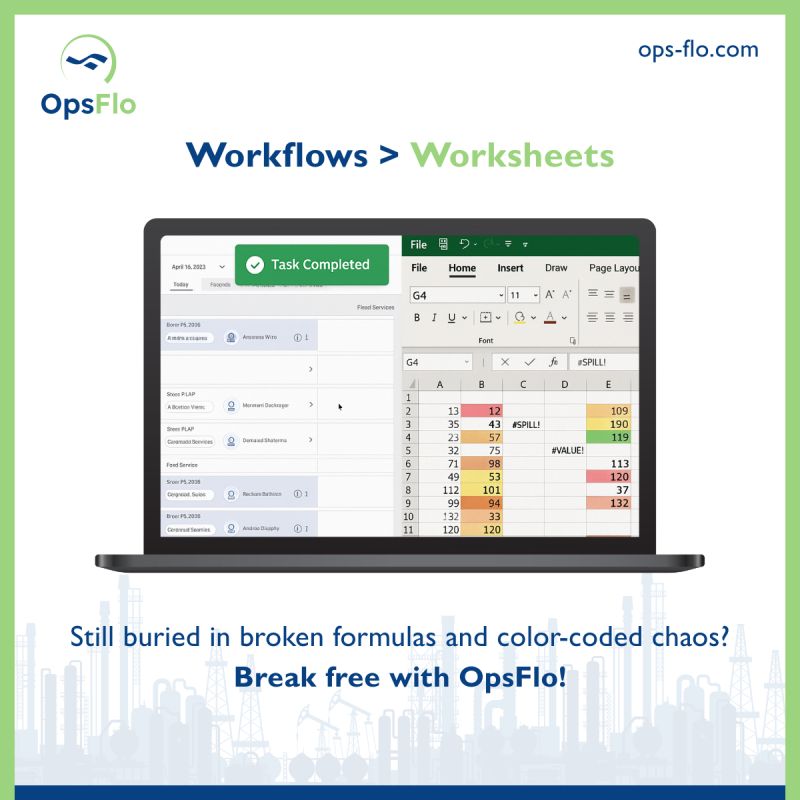
A spreadsheet has no concept of a multi-well pad. It does not understand that one frac manifold can service four wells and that the ticket needs to be split across four AFEs. It does not know that a triplex mud pump has a maintenance schedule based on pump strokes, not calendar days. You end up with a mess of tabs and macros that only the original creator understands.
Generic field service software tries to be everything to everyone. It has modules for HVAC repair and landscaping. It lacks the specific fields for a digital field ticketing system that tracks barrels of produced water, pounds of sand, or hours on a swab rig. The dropdown menus do not list a "frac stack" or a "top drive". You spend more time customizing the software than you do running your business.
The other failure point is connectivity. The Permian is vast. Cell coverage dies between Pyote and Pecos. A cloud-based app that requires a constant connection will fail. The software has to cache data locally on the device and sync when the signal returns. If it cannot handle a 4G dead zone, it is useless.
Finally, consider the human factor. Your best toolpusher and your most experienced frac hand are not typists. If the interface is cluttered with menus and options, they will fight it. They will revert to paper because it is faster. The software must be a single screen with big buttons. "Start Job", "Add Service", "Get Signature". That is it. If it takes more than ten seconds to log a service line, the crew will abandon it.
Step-by-Step Operational Framework for the Permian
Here is the framework that works for operators from the Midland Basin to the Delaware. This is not a technology project. It is an operational discipline project.
Step 1: Standardize Your Service Catalog
Before you put a tablet in a truck, you must clean up your pricing. Define every service you sell. Give it a code. Give it a unit of measure. Give it a default price. If you run a frac fleet, you have a line item for "Pump Time Per Hour" and "Proppant Per Pound". If you run a roustabout crew, you have "Man Hour" and "Equipment Rental Per Day". This catalog is the backbone of your billing. If you do not have this, you are pricing on the fly, and you are losing money on every job.
Step 2: Dispatch with Intent
When the office dispatches a job, they should send the work order to the tablet. The driver sees the location, the well name, the pad, and the specific services required. The driver does not have to ask for clarification. The data is pre-populated. This eliminates the 20 minute phone call that happens every morning when the dispatcher reads a work order out loud to a driver who is trying to navigate to a location.
Step 3: Capture Data at the Source
The crew opens the job on the tablet. They check in when they arrive. They enter the actual hours, the actual volumes, the actual equipment used. They take a photo of the gauge or the load ticket if required. This is the moment of truth. The data is captured in the dust, not in the office three days later.
Step 4: Get the Digital Signature
Before the truck leaves the location, the company man or the operator's representative reviews the ticket on the tablet. They approve it with a finger swipe or a stylus. This is the critical step. Once the signature is captured, the dispute window closes. You have a legally binding record of the work performed. This is the difference between a 45 day collection cycle and a 15 day one.
Step 5: Sync and Bill Immediately
When the crew returns to cell range, the ticket syncs to the office. The system validates the pricing against the service catalog. It flags any anomalies. The invoice is generated and sent to the operator that same day. You do not wait for a weekly billing cycle. You bill daily. This is the core of accelerated oilfield billing. The faster you invoice, the faster the clock starts on payment terms.
Permian Field Case Study: The 21 Day DSO Reduction
Consider the example of a pressure pumping company operating in Reeves County. They ran six spreads and a fleet of support trucks. They were generating 400 tickets a month. Their process was entirely manual. Pumpers filled out paper tickets. They took photos. They sent them to a clerk in Midland at the end of the week.
The results were painful. Their DSO was 72 days. Their dispute rate was 4% of revenue. They had two full-time clerks just chasing signatures and reconciling tickets. The company was profitable on paper, but cash flow was a constant struggle. They were financing their growth with a line of credit at 9% interest.
They implemented a strict digital ticketing protocol using oilfield operations software West Texas crews could handle. They did not roll it out to all six spreads at once. They started with one spread to work out the bugs. They trained the crew leaders personally. They showed them how the signature capture protected them from false claims.
Within 60 days, they had full adoption across the fleet. The results were immediate.
The Measured Results
- DSO Reduction: From 72 days down to 51 days. That is a 21 day improvement. On $4M in monthly billings, that freed up $2.8M in working capital.
- Dispute Rate: Dropped from 4% to 0.5%. The company recovered $140,000 per month in previously disputed revenue.
- Office Overhead: They reduced their clerical staff from two full-time employees to one part-time role. The remaining clerk handled exceptions only, not data entry.
- Billing Cycle: They went from invoicing weekly to invoicing daily. The average time from job completion to invoice delivery dropped from 9 days to 1 day.
The owner of that company said the software paid for itself in the first month. He was not exaggerating. The interest savings alone on that $2.8M in freed cash was over $20,000 a month. That is the difference between surviving a downturn and thriving in an upcycle.
Implementation Checklist for Supervisors and Office Dispatch
You do not need a consultant to make this work. You need a checklist and the discipline to follow it. Here is the sequence I recommend.
- Audit Your Current Ticket Flow. Track ten tickets from the field to the invoice. Write down every touchpoint. Note the time stamps. You will be shocked at the delays.
- Clean Up Your Customer List. Ensure every operator you work with has a proper remit-to address, a valid tax ID, and a primary contact for approvals.
- Build Your Service Catalog. List every service you sell with a unique code and a default price. This is non-negotiable.
- Choose Your Pilot Crew. Pick your most tech-savvy supervisor and their crew. Do not pick your most resistant veteran for the pilot. You need early wins.
- Run Parallel for One Week. Have the pilot crew use the tablets while the office still processes paper. Compare the results. Show the discrepancy in hours and errors.
- Cut the Paper Cord. After one week of parallel running, stop accepting paper tickets from the pilot crew. Force the issue. They will adapt.
- Roll Out to the Fleet. Expand by one crew per week. Do not rush it. Each crew needs a champion who can answer questions on the spot.
- Track Your DSO Weekly. Put a dashboard in the office. Watch the number drop. Celebrate the milestones with the team.
If you are unsure about the financial impact for your specific operation, use the ROI calculator to model your own numbers. It takes five minutes and gives you a defensible business case to take to your partners or your bank.
Frequently Asked Questions
Will this work with my existing accounting software?
Yes. The system is designed to integrate with the back office. You export validated tickets directly into QuickBooks, Xero, or NetSuite. You eliminate the double entry. The goal is to make the field ticket the only data entry point. The accounting software just receives the final numbers.
What happens when the internet goes out in the field?
The app works offline. The crew captures tickets, photos, and signatures on the tablet. The data is stored locally. When the device finds a signal, it syncs automatically. No data is lost. This is a hard requirement for any software working in the Permian or the Bakken.
How do I handle the company man who refuses to sign a tablet?
This is a change management issue, not a software issue. Start by explaining the benefit to them. They get a real-time view of costs on their AFE. They do not have to deal with paper copies floating around. If they still refuse, you have a backup process. The system allows for a manual override where the field supervisor confirms the work and the office sends a PDF for electronic signature via email. This is slower, but it still beats the paper chase.
Is this only for large operators?
No. The economics work best for companies running five trucks or more. If you are running three vacuum trucks, you might be fine with a spreadsheet. But the moment you add a fourth truck and a second crew, the coordination overhead explodes. That is the inflection point where you need a system.
The Executive Takeaway
The oilfield is a volume business with razor thin margins. You make money by keeping iron moving and getting paid fast. The companies that dominate the Permian are not necessarily the ones with the most horsepower. They are the ones with the cleanest back office. They are the ones that can tell an operator exactly what a job cost while the rig is still on location.
You have two choices. You can keep fighting the paper war. You can keep paying clerks to transcribe dirty data. You can keep waiting 70 days for your money. Or you can modernize your workflow with oilfield operations software West Texas crews will actually use.
The technology is not the hard part. The hard part is admitting that your current process is bleeding cash. Once you accept that, the fix is straightforward. Put the ticket in the hands of the person doing the work. Get the signature on location. Bill the same day.
If you want to see the exact savings for your fleet, do not guess. Run the numbers. Use the ROI calculator to see your potential cash recovery. When you are ready to stop the bleeding, request a revenue diagnostic and we will walk through your ticket flow line by line.
The crews in West Texas do not need more complicated tools. They need tools that respect their time and their intelligence. Give them a system that works in the dirt, and they will give you the margins you deserve.
To see how your team can eliminate this operational drag, explore the Oilfield Operations Software West Texas Crews Don't Have To Fight With solution on OpsFlo or schedule a diagnostic session with our operations engineering team.
No comments yet
Be the first to share your thoughts.
Leave a Reply
Comments are disabled on the shared-hosting build. If you want to respond to this article, email info@ops-flo.com and mention "Oilfield Operations Software West Texas Crews Don't Have To Fight With".
Contact OpsFlo