

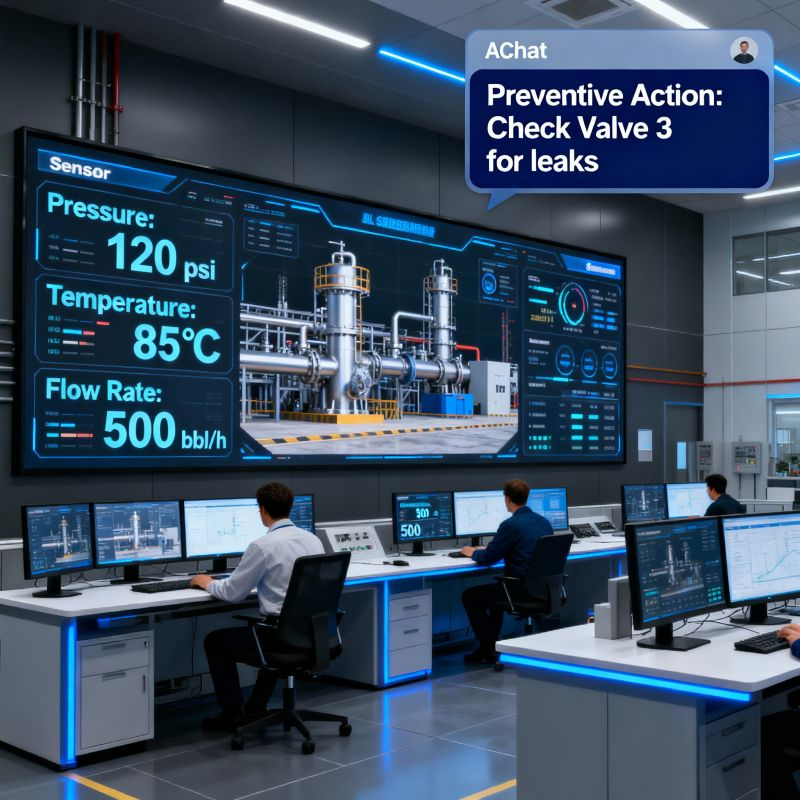
Oilfield Software Oklahoma Operators Are Standardizing On
The hard truth: A service company running 40 trucks in the STACK or SCOOP play can lose $180,000 per year just on billing delays and ticket errors. That is not overhead. That is net profit walking out the door.
Why Oilfield Software Oklahoma Operators Need Is Built for the Field, Not the Office
Let us be direct about the operating environment. Oklahoma is not a single play. You have the Merge, the SCOOP, the STACK, the Granite Wash, and the Mississippi Lime. Each has different depths, different pressures, and different logistical headaches. But the administrative pain is the same across all of them.
A wireline unit runs a job. The toolpusher signs the ticket. That ticket has a header, a date, a well name, a legal description, and a list of charges that can include perforating guns, setting tools, and explosives. If any of that data is transcribed incorrectly, the invoice gets rejected by the operator. That rejection costs you 30 to 60 days of payment delay. In the meantime, your fuel bill is due, your crew is paid, and your insurance premium does not care about your cash flow.
The best oilfield software Oklahoma operators are standardizing on does not just digitize the ticket. It enforces the workflow. It makes it impossible to submit a ticket without a purchase order number. It flags rate discrepancies before the invoice goes out, not after the operator rejects it.
Consider the difference between a pump-down perforating job and a swab rig test. The ticket structures are completely different. A generic field service app forces you to cram your data into a generic "service" field. That is where errors breed. Specialized oilfield software understands that a vacuum truck charges by the barrel and by the hour, while a frac pump charges by the pump hour and the maintenance rate.
The Real Financial Drain: Show Me the Math
Let us stop talking about "efficiency" and start talking about dollars. The average oilfield service company in Oklahoma operates on a net margin between 8 and 12 percent. That is thin. You cannot afford to give any of it back to administrative waste.
Here is a concrete scenario. A well servicing company runs 25 rigs. Each rig completes an average of 1.5 tickets per day. That is 37.5 tickets per day, or roughly 825 tickets per month. Industry data and our own audits show that between 5 and 8 percent of manually processed tickets contain a billing error. Let us use 6 percent. That is 50 bad tickets per month.
The average ticket value for a workover rig is $4,500. Fifty bad tickets times $4,500 equals $225,000 in disputed revenue every single month. Not all of that is lost forever, but it is delayed. If it takes an average of 45 days to correct and re-submit those tickets, you are financing that $225,000 with your own working capital.
The arithmetic of delay:
- Monthly disputed tickets: 50
- Average ticket value: $4,500
- Total disputed revenue: $225,000
- Average correction cycle: 45 days
- Annual cost of capital at 8% interest on that float: $8,100
- Administrative labor to fix errors (2 hours per ticket at $35/hour): $3,500 per month
- Total direct leakage: $50,000+ per year, before you count the lost opportunity of re-investing that cash in a new pump or a crew bonus.
That is the cost of doing nothing. That is the cost of sticking with the paper system because "that is how we have always done it." The paper system is not a system. It is a tax on your growth.
Why Generic Solutions and Spreadsheets Fail in the Oklahoma Field
I have seen operators try to run their oilfield service business on a generic project management tool or a shared Excel workbook. It works for about two weeks. Then the file gets corrupted, or two dispatchers edit the same row, or the field guy sends a photo of the ticket to the office and the office types it in wrong.
The fundamental problem is that these tools were not built for the oilfield. They do not understand the difference between a "pumper" and a "company man." They do not know that a "ticket" in the oilfield is a legal document that triggers a payment obligation, not just a line item in a CRM.
Consider the data entry problem. A typical field ticket in Oklahoma contains between 40 and 60 discrete data points. That includes the well name, API number, county, section-township-range, operator name, PO number, service date, arrival time, departure time, equipment used, product pumped, volumes, pressures, and the signatures of both the service rep and the operator's representative.
When you type that into a spreadsheet, you are creating a manual transcription layer. That layer is where the errors live. A transposed digit in the API number makes the ticket untraceable. A wrong PO number gets the invoice kicked out of the operator's automated payment system like a bad check.
The other failure point is the approval workflow. Most operators in Oklahoma now use automated invoice processing systems like OpenInvoice, Cortex, or PIDX. These systems reject invoices that do not match the PO line items exactly. If your invoice says "hauling services" but the PO says "vacuum truck services," the system rejects it. No human even looks at it. It just bounces back to you with an error code.
Generic software cannot handle this. It does not know the mapping logic required for PIDX or the specific requirements of an operator's AP portal. That is why you need a solution built for the oil and gas operation, not a generic invoicing app that also sells time tracking to landscaping companies.
The Step-by-Step Operational Framework for Getting Paid Faster
Here is the framework that top-performing service companies in Oklahoma are using. It is not complicated, but it requires discipline and the right tools.
Step 1: Capture Data at the Source, Not in the Office
The field supervisor or the operator's representative should be entering data into a mobile device at the wellsite. The moment the job is done, the ticket is created digitally. No paper. No photos of paper. No "I will type it up when I get back to the shop."
This is where digital field ticketing becomes your most valuable tool. The software should allow the field guy to select the equipment from a pre-populated list, enter the volumes, and capture the electronic signature of the company man on the spot. That signature is the golden key that reveals the payment process.
Step 2: Validate Against the PO in Real Time
The system should automatically check the ticket against the purchase order before it is submitted. Is the rate correct? Is the equipment type matching? Is the PO number valid and not expired? If there is a discrepancy, the field guy sees it immediately and can resolve it with the company man while still on location. This is the single biggest lever for reducing DSO.
Step 3: Route for Approval Automatically
Once the ticket is signed and validated, it should automatically route to the office for review. The dispatcher does not have to hunt for it. The billing clerk does not have to re-type it. The system should flag any anomalies for human review, but the clean tickets should flow straight through to invoicing.
Step 4: Generate the Invoice and Submit Electronically
The invoice should be generated from the approved ticket data, not re-created from scratch. This eliminates the risk of a billing clerk accidentally changing a rate or a quantity during the invoicing process. The invoice should then be submitted electronically through the operator's preferred portal, whether that is OpenInvoice, Cortex, or a direct EDI connection.
Step 5: Track the Payment Cycle Relentlessly
You cannot manage what you do not measure. The system should give you a dashboard that shows your DSO, your aging buckets, and any invoices that are stuck in the approval queue. If an invoice is sitting at the operator for 15 days without approval, you need to know about it on day 16, not day 45.
Case Study: A Permian Operator's Results (The Metrics That Matter)
Let us look at real numbers from a production services company that operates in both the Permian Basin and the Oklahoma STACK play. We will call them Red Oak Well Services. They run a fleet of 12 vacuum trucks, 4 frac water transfer pumps, and 2 swab rigs. They were running on paper tickets and a QuickBooks desktop file.
Their baseline was painful. It took an average of 11 days from job completion to invoice generation. That is 11 days of float where the work was done but no bill had been sent. Their DSO was 58 days. Their ticket error rate was 7.2 percent, meaning they were constantly fighting with operators over small discrepancies that took hours to resolve.
They switched to a specialized oilfield operations platform. The implementation took three weeks. They loaded their equipment list, their rate sheets, and their standard ticket templates. They trained their dispatchers and their field crews on the mobile app.
The results after 90 days were measurable.
Red Oak Well Services, 90-Day Results:
- Invoice generation time dropped from 11 days to 1 day.
- Ticket error rate dropped from 7.2% to 0.8%.
- DSO dropped from 58 days to 41 days.
- Disputed invoices dropped by 85%.
- Billing clerk overtime was eliminated, saving $2,800 per month.
The cash impact: With an average monthly revenue of $1.2 million, reducing DSO by 17 days freed up $680,000 in working capital. That is cash they could use to pay down their line of credit or buy a new piece of iron.
That is not a theoretical benefit. That is the difference between a company that is constantly chasing its tail and a company that is investing in growth. The owner of Red Oak told us that the system paid for itself in the first month just by eliminating the billing clerk overtime and the reprint costs.
Implementation Checklist for Supervisors and Office Dispatch
If you are convinced that you need to fix your ticket-to-cash workflow, here is a practical checklist to guide your implementation. Do not try to boil the ocean. Start with the highest volume service line and expand from there.
- Audit your current ticket flow. Pick a representative week and count how many tickets you processed. Calculate your error rate by looking at how many invoices were rejected or disputed. Measure your average time from job completion to invoice submission.
- Define your rate card and equipment list. This is the foundation of your digital system. If you have 50 different rate codes for "hauling," now is the time to consolidate them. The cleaner your master data, the fewer errors you will have.
- Map your approval hierarchy. Who needs to approve a ticket before it goes to the operator? The dispatcher? The operations manager? Define this clearly in the system so tickets do not get stuck in limbo.
- Train your field crews first. The success of the rollout depends on their buy-in. Show them how the mobile app saves them time. They will not have to drive back to the shop just to drop off a paper ticket.
- Set up the operator portal connections. If your main customer uses OpenInvoice, make sure your system can generate the required XML or PDF format. Test it with a few dummy invoices before you go live.
- Run a parallel test for two weeks. Keep using your old system while you pilot the new one. Compare the output. This will catch any gaps in your setup before you fully commit.
- Review your DSO weekly. Once you are live, do not just set it and forget it. Look at the aging report every Monday. If an invoice is older than 30 days, assign someone to chase it.
Frequently Asked Questions
Is this just for large service companies, or can a small operator with 5 trucks benefit?
Small operators benefit the most. When you have 5 trucks, you do not have a dedicated billing department. The owner is also the dispatcher, the billing clerk, and the HR department. Automating the ticket flow frees up the owner to actually run the business and find new work. The cost of the software is a fraction of what you will save in avoided errors and faster payments.
What if my customers do not use an electronic portal like OpenInvoice?
That is fine. The software should still generate a clean, professional invoice in PDF format that you can email or mail. The key benefit is that the data is already correct and formatted. Even if the operator processes it manually, they will not have to call you to clarify a typo or a missing PO number.
How long does it take to train my field staff?
Most field personnel are comfortable with the mobile app within two hours of training. The interface should be simple: select the job, select the equipment, enter the volumes, get the signature. If the app requires a 30-minute training video and a manual, it is too complicated. The goal is to make it easier than filling out a paper ticket.
Can this integrate with my accounting software like QuickBooks or Xero?
Yes. The system should export your approved invoices directly into your accounting package. This eliminates the double entry that causes so many errors. You should not have to type the invoice into the software after it has already been created in the field ticketing system.
Clear Executive Takeaway
The oilfield in Oklahoma is competitive. Margins are tight, and the operators you work for are demanding more accountability and faster turnaround on paperwork. You cannot afford to run your service business on a clipboard and a prayer.
The shift to digital field ticketing and automated billing is not about keeping up with technology trends. It is about protecting your cash flow. Every day you shave off your DSO is real money in your account. Every error you prevent is profit you keep.
I have seen too many good service companies go out of business not because they lacked work, but because they could not manage the administrative side of the revenue cycle. They were doing the work, but they were not getting paid fast enough to cover their obligations.
Do not let that be you. Start by evaluating your current ticket-to-cash process. Measure your error rate and your DSO. Then look at a platform that was built specifically for the oilfield, not a generic tool that you have to bend to fit your business.
If you want to see the potential impact on your own operation, use the ROI calculator to plug in your ticket volumes and average ticket value. It will show you the hard dollar impact of reducing
No comments yet
Be the first to share your thoughts.
Leave a Reply
Comments are disabled on the shared-hosting build. If you want to respond to this article, email info@ops-flo.com and mention "Oilfield Software Oklahoma Operators Are Standardizing On".
Contact OpsFlo