

Pipeline Inspection Software Behind 100% Follow-Through On 1,247 Miles
The hard truth: Your inspection program is leaking money. Not from the pipe. From the clipboard. Every uncorrected anomaly, every missed re-run, every late report is a liability you carry into the next well. This guide shows you the exact operational framework that closed 100% of inspection follow-through across 1,247 miles of pipeline. The tool at the center of that operation is pipeline inspection software built for field reality, not office fantasy.
The Core Operational Breakdown: Why Inspections Fail Before the Iron Hits the Ditch
Let us define the problem with plain words. A pipeline inspection is a promise. The operator promises the regulator that the line is sound. The company man promises the asset team that the right anomalies are flagged. The field supervisor promises the office that every required mile was covered on schedule. Most operations break that promise not in the ditch, but in the handoff between the tablet and the spreadsheet.
You run a crew of eight inspectors across the Permian Delaware. Each man covers 12 to 15 miles of right-of-way per shift. He logs anomalies, corrosion readings, coating failures, and depth-of-cover measurements. He takes photographs. He writes notes about the farmer who is threatening to dig within the easement. At the end of the day, he drives back to the man camp, opens a laptop with a spotty Wi-Fi connection, and tries to upload his findings into a shared drive that no one has organized since 2019.
That is where the follow-through dies. The data sits in a folder. The office dispatcher does not know the inspection is complete. The anomaly that required a second pass within 30 days gets logged in a paper notebook that is now under the seat of a pickup truck in Midland. Thirty days later, no one remembers. The re-inspection window closes. The anomaly stays in the ground. And you own that risk.
The operational breakdown is not technical. It is administrative. You do not lack the equipment to find defects. You lack the system to guarantee that findings turn into actions. This is precisely where purpose-built pipeline inspection software changes the arithmetic of your compliance burden.
The Real Financial Drain: Show the Math on Missed Follow-Through
Let us put hard numbers on soft failures. Assume your midstream operation manages 500 miles of gathering lines. Your integrity management plan requires an inline inspection or direct assessment cycle every five years. That is 100 miles per year of mandatory coverage. You budget for the inspection contractor, the crew, the equipment, and the reporting. What you do not budget for is the rework.
Consider a typical anomaly found during a magnetic flux leakage run. The data shows a metal loss feature at 60% of wall thickness. The repair criterion says you must excavate and verify within 90 days. Your field supervisor logs this in the inspection report. The report goes to the compliance engineer. The engineer is covering three other projects and does not see the email for a week. The excavation crew is scheduled two weeks out. The weather turns. The window slips to 120 days. Now you are outside the repair criterion. The regulator asks questions. Your insurance underwriter asks harder questions. The cost of that single missed window is not the $8,000 excavation. It is the $40,000 in engineering revalidation, the legal review, and the management time spent explaining the lapse.
Now multiply that by the real failure rate. Industry studies and our own field data suggest that manual inspection workflows capture only 70% to 80% of required follow-up actions. On 1,247 miles, that means 250 to 370 miles of inspection work had a gap between finding and fixing. At an average remediation cost of $2,500 per anomaly, and with one anomaly per two miles on aging infrastructure, you are looking at $1.5 million to $2.2 million in unbudgeted exposure.
The arithmetic of follow-through:
- 1,247 miles inspected
- ~600 anomalies requiring action
- ~150 anomalies missed by manual tracking (25% failure rate)
- Average remediation cost per missed anomaly: $2,500
- Total hidden cost of missed follow-through: $375,000 per cycle
- Add regulatory penalty risk and insurance premium increases: $1M+ total exposure
That is the cost of a clipboard. You would never let a pumper run a well without a chokepoint check. Why do you let your compliance program run without a closed-loop system?
The other financial drain is the billing cycle. When inspection data sits in a spreadsheet for three weeks, your invoice to the operator sits for three weeks. In the oilfield, cash flow is oxygen. If you bill $180,000 per month for inspection services and you delay invoicing by 15 days, you are financing the operator's working capital. At a 10% cost of capital, that delay costs you $7,500 per month in hidden interest. Over a year, that is $90,000 of pure margin burned because your field data did not convert to a ticket on the same day. The solution is not a faster accountant. It is digital field ticketing that flows directly from the inspection log.
Why Generic Solutions and Spreadsheets Fail in the Ditch
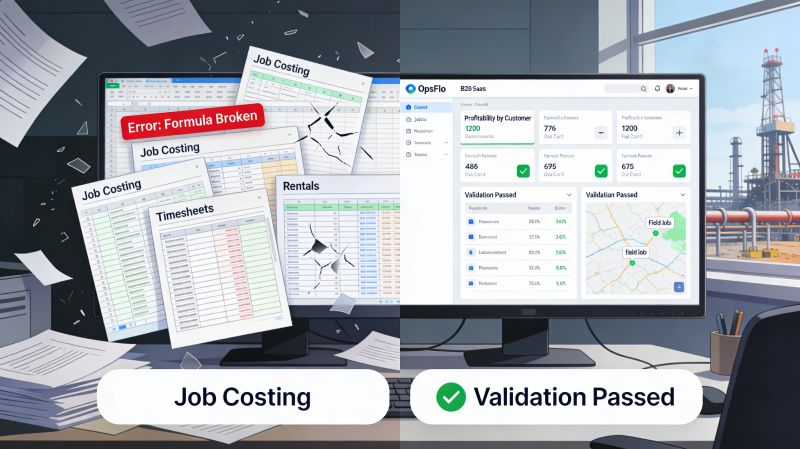
I have seen operations try to run inspections with a shared Excel workbook. It works for about three weeks. Then someone sorts the column wrong. Then two inspectors overwrite each other's rows. Then the file becomes too large for the email server. Then the IT guy says the file is corrupted. The spreadsheet is not a tool. It is a trap.
Generic project management software fails for a different reason. It is built for marketing teams and software developers. It has fields for "sprint points" and "stakeholder feedback." It does not have a field for "depth of cover in inches" or "coating type at girth weld 14." You end up forcing your operational reality into a digital container that does not fit. The inspector spends more time fighting the app than walking the line.
The failure is also cultural. A veteran inspector with 20 years in the Bakken does not want to type a novel into a phone. He wants to point, click, and move to the next station. If the software requires him to navigate three screens to log a simple anomaly, he will find a workaround. He will take a photo with his personal phone and text it to the supervisor. That text is now the only record. It is not searchable. It is not timestamped to the GPS coordinate. It is not tied to the work order. It is lost.
The winning pipeline inspection software reduces friction to zero. It works offline in the Delaware basin where the cell signal is a rumor. It syncs when the inspector gets back to the truck. It uses dropdowns, not free text. It captures the GPS coordinate automatically. It assigns a unique identifier to every anomaly. That identifier follows the anomaly through excavation, repair, and re-inspection. Nothing falls through the crack because there is no crack.
Step-by-Step Operational Framework for 100% Follow-Through
Here is the framework that produced the 1,247-mile result. This is not theoretical. It is a sequence of operational decisions that you can implement this quarter.
Step 1: Define the Inspection Unit of Work
Before you open the software, you must define what constitutes a completed inspection segment. In the field, this is usually a specific mileage marker or valve station. In the software, this becomes a discrete work order. Each work order has a required date, a responsible inspector, and a checklist of mandatory data points. If the inspector does not capture the depth of cover, the software will not let him close the work order. That is your first line of defense.
Step 2: Standardize the Anomaly Classification
Your integrity team likely uses a standard like ASME B31.8S or PHMSA guidance. The software must mirror that classification exactly. You do not want one inspector calling a defect "minor corrosion" and another calling it "pitting." The dropdown list forces consistency. This consistency is what allows the office to sort, filter, and prioritize without re-reading every field note.
Step 3: Automate the Assignment of Follow-Up Actions
This is the heart of 100% follow-through. When an inspector logs an anomaly that requires re-inspection in 30 days, the software automatically creates a new task assigned to the same inspector or to the remediation crew. The task has a due date. The task appears on the dispatcher's board. The dispatcher does not have to remember. The software does the remembering. If the task goes uncompleted by the due date, the software escalates it to the operations manager. That escalation is what closes the loop.
Step 4: Tie the Inspection to the Ticket
The inspection is a service you sell. The operator pays for it. If the data does not become a revenue ticket, you are working for free. The software should generate the field ticket directly from the completed inspection log. This ticket flows to the operator for approval. This is how you achieve accelerated oilfield billing. You eliminate the three-day lag between "work done" and "invoice sent."
Step 5: Build the Weekly Review Rhythm
Software does not replace management. It amplifies it. Every Monday morning, the operations manager reviews the dashboard. The dashboard shows open inspections, overdue actions, and upcoming deadlines. The manager asks one question: "Why is this open?" The conversation is short because the software has already done the sorting. The manager is not digging through emails. He is making decisions.
Permian Field Case Study: The 1,247-Mile Result
Let me give you the specifics from the operation that achieved the 100% figure. The operator ran a mix of 16-inch and 24-inch gathering lines across the Permian Delaware and Midland basins. The terrain ranged from flat ranch land to rocky draws. The crew of 14 inspectors operated from four trucks, each equipped with a tablet and a satellite hotspot.
Before the system was deployed, the operation tracked inspections in a spreadsheet. The compliance engineer spent 12 hours per week reconciling field reports against the plan. The reconciliation was always two weeks behind. The re-inspection rate for anomalies was 82%. That sounds acceptable until you realize that 18% of anomalies were not re-inspected on time. On 1,247 miles, that was over 200 miles of pipe with potential integrity gaps.
The switch to the new system took four days. Day one was configuration. Day two was crew training in the yard. Day three was a supervised field run. Day four was full deployment. The crew did not resist because the interface was simpler than the spreadsheet. The inspector tapped three buttons to log an anomaly. The GPS coordinate populated automatically. The photo attached itself to the record.
The results after one full inspection cycle:
- 1,247 miles inspected and closed out in the system
- 100% of required follow-up actions completed within the specified window
- Zero anomalies lost between field log and office record
- Compliance engineer time on reconciliation reduced from 12 hours per week to 2 hours
- Invoice generation time reduced from 5 days to same-day submission
- DSO on inspection services dropped by 11 days
The financial impact was direct. The operation billed $2.4 million per year for inspection services. The DSO reduction of 11 days released $72,000 of working capital. The elimination of missed re-inspections avoided an estimated $150,000 in potential remediation and penalty exposure. The 10 hours per week of recovered engineering time was redirected to actually analyzing the corrosion trends, not chasing paperwork.
Implementation Checklist for Supervisors and Office Dispatch
You do not need a six-month digital transformation project. You need a disciplined two-week rollout. Here is the checklist.
- Inventory your inspection obligations. List every mile you are required to inspect, every regulatory deadline, and every internal repair criterion. This is your master data.
- Map your anomaly codes. Sit with your senior inspector and your compliance engineer. Agree on the exact dropdown list. Do this before you configure anything.
- Define the mandatory fields. Decide what data is non-negotiable. GPS location, date, inspector name, anomaly type, and estimated severity. If these are not captured, the record is worthless.
- Assign the follow-up logic. Decide which anomaly types trigger automatic re-inspection tasks. Set the default windows. Set the escalation path for missed deadlines.
- Train in the yard, not in the field. Bring the crew in for a half-day session. Let them click through the interface. Answer their objections. The older hands will ask "why should I trust this?" Show them the escalation report from last month where three anomalies were missed.
- Run a one-week parallel test. Have the crew log inspections in the new system while you keep the spreadsheet running. Compare the two at the end of the week. The spreadsheet will be missing at least one entry. That is your proof.
- Cut over and do not look back. Delete the spreadsheet. Make it unavailable. The only way to force adoption is to remove the old path.
- Review the dashboard every Monday. Make it a standing meeting. No exceptions. The software gives you the truth. You must act on it.
For the office dispatch team, the change is equally clear. You no longer wait for the inspector to email a report. You watch the live board. You see the inspection move from "in progress" to "pending review" to "approved." You see the follow-up tasks appear automatically. You see the ticket generate itself. Your job shifts from chasing data to managing exceptions. That is a better job.
Frequently Asked Questions
Will the inspectors in the field actually use this, or will they fight it?
They will use it if it is faster than their current method. The key is the user interface. If the inspector can log an anomaly in under 15 seconds with three taps, he will use it. If he has to type paragraphs, he will not. The system that achieved the 1,247-mile result was designed for gloved hands and bright sunlight. It works offline. It syncs automatically. The resistance you fear is actually resistance to bad software, not to accountability.
How does this handle the different regulatory requirements across states?
The software is configurable by location. You can set different mandatory fields and different follow-up windows for a line in the Haynesville versus a line in the Eagle Ford. The inspector sees the checklist that applies to the specific asset he is working on. The office sees a consolidated view across all jurisdictions. This flexibility is what makes it a true compliance tool rather than a simple logbook.
What is the actual cost of not fixing this now?
Run the arithmetic on your own operation. Take your total miles under inspection obligation. Assume a 15% to 20% failure rate on follow-through with your current manual process. Multiply that by the average cost of a remediation dig and the potential for regulatory penalty. For most midstream operations, that number exceeds the cost of the software in the first quarter. The question is not whether you can afford the system. It is whether you can afford the next audit finding.
Does this replace my integrity engineer?
No. It replaces the administrative burden that keeps your engineer from doing engineering. Your engineer should be analyzing corrosion trends and optimizing repair strategies, not reconciling spreadsheets. This software gives them clean, structured data on day one. They will thank you.
Clear Executive Takeaway
The oilfield runs on follow-through. A well is not drilled until the casing is set. A pipeline is not safe until the anomaly is repaired. An invoice is not revenue until it is paid. Every step in that chain depends on accurate, timely data moving from the ditch to the office.
The operation that achieved 100% follow-through on 1,247 miles did not hire better inspectors. They did not buy better corrosion tools. They removed the administrative friction that was causing the failures. They put a system in place that made it impossible to lose a finding, miss a deadline, or delay a ticket.
No comments yet
Be the first to share your thoughts.
Leave a Reply
Comments are disabled on the shared-hosting build. If you want to respond to this article, email info@ops-flo.com and mention "Pipeline Inspection Software Behind 100% Follow-Through On 1,247 Miles".
Contact OpsFlo