

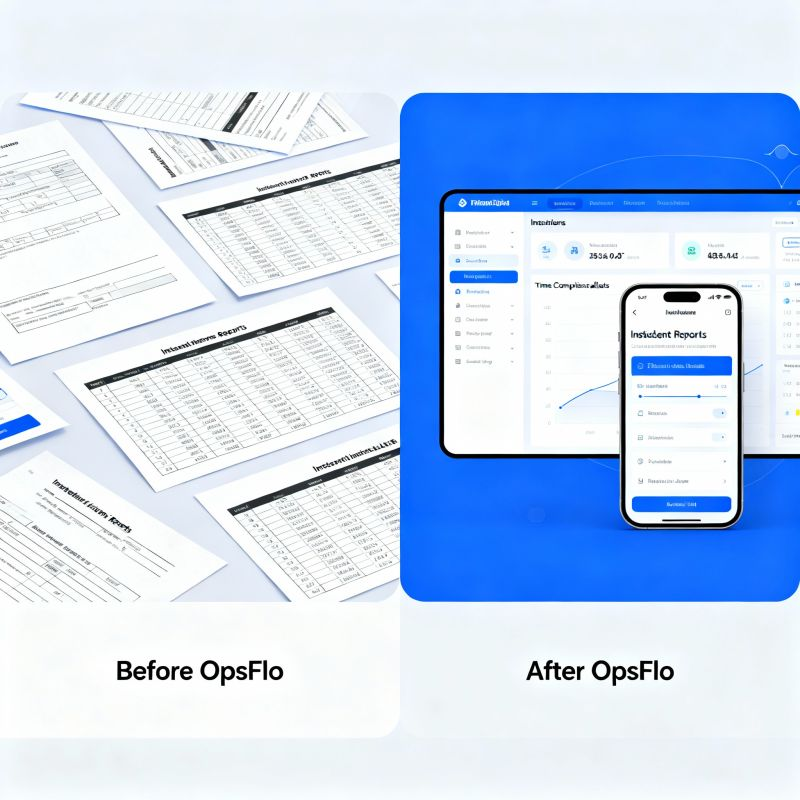
Software For Workover Companies Running Tighter Margins Than Ever
The hard truth: A single workover rig with a crew of four costs between $18,000 and $25,000 per day to run, before you add a single tubular. If that rig sits idle for one hour waiting on a ticket approval, you just burned $750 to $1,000 in pure margin. You cannot bill for that hour. You cannot recover it. And in the Permian Delaware or the Bakken today, that hour is the difference between a profitable month and a break-even one.
The Core Operational Breakdown: Where Workover Margins Actually Disappear
You run a workover company. You are not a drilling contractor. You are not a frac crew. You are the emergency room of the oilfield. When a downhole pump fails in the Midland Basin, when a rod string parts in the Eagle Ford, when a well needs a tubing pull and a packer reset in the Haynesville, the company man calls you at 2:00 AM. Your swab rig or your workover rig mobilizes. You fix the well. You get the production back online. And then you wait 45 to 60 days to get paid for it.
That delay is not just an accounting annoyance. It is a structural drag on your working capital that dictates how many jobs you can take next month. The operators you serve, the big E&Ps and the mid-sized independents, are not slow because they are lazy. They are slow because your field tickets arrive with errors. A wrong pump depth. A missing pressure reading. A signature from the wrong company man. A ticket that does not match the AFE line item. Every error sends the ticket back to the field for correction. Every correction adds five to seven days to your billing cycle. Every five days of delay costs you interest on the cash you had to borrow to make payroll.
The core breakdown is simple. Your field crews generate data on paper or in disjointed text messages. Your dispatcher re-enters that data into an accounting system. Your billing clerk reconciles it against the operator's purchase order. And the operator's accounts payable team, using PIDX or OpenInvoice or Cortex, rejects anything that does not match perfectly. Each handoff is an opportunity for error. Each error is a direct hit to your margin.
Modern software for workover companies attacks this exact chain. It does not promise to make your triplex pump run faster or your top drive last longer. It promises to make the data flow as fast as the iron moves. And in a market where day rates have not kept pace with inflation, that data flow is your only lever.
The Real Financial Drain: Show Me the Math
Let me give you concrete arithmetic. You run five workover rigs in the Permian Delaware. Each rig completes an average of 1.5 jobs per week. That is 7.5 tickets per week, or roughly 30 tickets per month across the fleet. Your average ticket value, including rig time, crew, and ancillary services like a vacuum truck or a frac manifold rental, is $45,000. That means you are billing $1.35 million per month.
Now apply industry-standard numbers. The average oilfield services company sees a first-pass ticket approval rate of only 65 to 70 percent. That means 30 to 35 percent of your tickets, roughly 9 to 10 tickets per month, get rejected or kicked back for clarification. Each rejection adds an average of 10 days to your billing cycle. You are carrying an extra $400,000 to $450,000 in receivables that you should have collected 10 days ago.
The working capital penalty: If your cost of capital is 8 percent per year, that extra 10 days on $425,000 costs you roughly $930 per month in pure interest. That is $11,160 per year. That is the cost of a new set of BOP rubbers and a full hydraulic oil change across the fleet. You are throwing that away because a field ticket had a typo.
But the receivables drag is only half the story. Look at asset utilization. Your rigs generate revenue only when the block is moving and the tongs are making connections. Industry data shows that workover rigs in the Permian average 65 to 70 percent utilization on a 24-hour basis. The remaining 30 percent is rig move time, rig up and rig down, waiting on parts, and waiting on operator decisions. You cannot eliminate all of that. But you can eliminate the administrative waiting.
Consider this. Your dispatcher spends 45 minutes per job on the phone with the field supervisor, getting the job details, the equipment used, and the hours logged. Then the billing clerk spends another 30 minutes re-keying that into the invoice system. That is 75 minutes of non-revenue administrative labor per job. At a blended labor cost of $45 per hour for those roles, that is $56 per job. Across 30 jobs per month, that is $1,680 per month, or $20,160 per year, spent purely on data transcription that a digital system does in seconds.
Add in the soft costs. The company man who has to call your dispatcher to ask where the ticket is. The field supervisor who has to drive back to the shop to scan a signed ticket because the operator's portal requires a PDF. The accounts receivable clerk who spends an hour on the phone with the operator's AP department chasing a status update. These are not line items on your P&L. They are the hidden tax on a paper-based operation.
Why Generic Solutions and Spreadsheets Fail in the Field
I have seen workover companies try to run their operations on a shared Excel workbook. I have seen them use QuickBooks with a custom field for the AFE number. I have seen them use the free version of a project management tool that was designed for software developers, not for a toolpusher standing in the rain at a wellhead in the Eagle Ford.
These tools fail for one fundamental reason. They are not built for the physical reality of your work. A spreadsheet assumes that someone will sit at a desk and type data in a logical sequence. Your field supervisor is not at a desk. He is on a rig floor with grease on his hands, trying to read a pressure gauge on a separator while the company man is yelling about production loss. He needs to capture data in the moment, with his thumbs, on a phone that is covered in a protective case and often covered in mud.
Generic software also does not understand your billing structure. A workover job is not a single line item. It is a complex ticket that includes day rates, hourly rates for special services, equipment rentals, consumables like packers and nipples, and potentially a mobilization charge. The operator's AP system, whether it is OpenInvoice or a proprietary portal, requires that you map each of these line items to a specific AFE and a specific cost center. If your software does not handle that mapping natively, you are back to manual data entry, and you are back to errors.
The spreadsheet also fails on version control. You have five rigs in the field. Each rig sends in a daily report. Your office compiles them into a weekly summary. Somewhere between the field and the office, a number gets changed. A pump pressure reading is corrected. A crew hour is adjusted. Now you have two versions of the truth. Which one do you bill? If you bill the wrong one, the operator rejects it, and you start the whole cycle over again.
The most dangerous failure of generic tools is the lack of a real-time operational picture. When your dispatcher is juggling phone calls and text messages, he does not know which rig is about to finish a job and which rig is still waiting on a crew change. He cannot see that Rig 3 in the Bakken has been down for two hours waiting on a part that is sitting on a truck in the yard. He cannot proactively reassign the crew or expedite the part. He is reacting to problems instead of preventing them. That reactive mode is where margin goes to die.
Step-by-Step Operational Framework: From Field to Cash
The fix is not a single piece of software. It is a framework. And the framework starts with digital field ticketing. When your supervisor captures job details on a mobile device at the wellsite, the data is structured. It is not a photo of a handwritten ticket. It is a digital record with fields for the well name, the AFE number, the equipment used, the hours logged, and the crew members present. That record is immediately visible to your dispatcher and your billing clerk.
The second step is automated validation. The software checks the ticket against the operator's purchase order in real time. It flags a mismatch before the ticket is submitted, not after the operator rejects it. If the AFE number is wrong, the supervisor corrects it in the field. If the day rate does not match the contract, the system alerts the office. This is the difference between a 65 percent first-pass approval rate and a 95 percent first-pass approval rate.
The third step is electronic signature capture. The company man signs the ticket on his own device, or on the supervisor's device, at the wellsite. That signature is timestamped and geotagged. There is no dispute about whether the signature is valid or when it was obtained. The ticket is locked. It cannot be altered after signature without a full audit trail.
The fourth step is direct integration with the operator's billing portal. Your software should generate the invoice in the format that OpenInvoice or Cortex expects. It should submit the invoice automatically. It should track the status of that invoice through the approval workflow. When the operator's AP team has a question, the software routes that question back to the field supervisor with the relevant data attached. No more phone tag. No more lost emails.
The fifth step is the financial feedback loop. Your software should show you, in real time, your days sales outstanding (DSO) by operator. It should show you which operators pay in 15 days and which ones drag to 60. It should show you which rigs generate the most rejected tickets and why. This is not just an operational tool. It is a negotiation tool. When you sit down with an operator to discuss your contract, you have data. You can say, "We have a 98 percent first-pass approval rate on your tickets. We expect payment in 30 days, not 45." That is a conversation you cannot have with a spreadsheet.
Permian Field Case Study: The Numbers That Matter
Let me walk you through a real-world example. A workover company in the Permian Delaware Basin, running four rigs, made the switch from paper tickets to a digital platform. The company was typical. They were doing about $1.1 million in monthly revenue. Their DSO was 52 days. Their first-pass ticket approval rate was 68 percent. They had one full-time billing clerk and one part-time AR clerk chasing payments.
The switch did not happen overnight. The company spent two weeks training supervisors and dispatchers on the new system. They had to convince the company men at the operator level to sign tickets digitally. That was the hardest part. But after 30 days, the data started to tell a story.
First-pass approval rate jumped to 94 percent. That meant only 6 percent of tickets required rework, down from 32 percent. The billing clerk, who used to spend 30 minutes per ticket re-keying data, now spent 5 minutes reviewing and submitting. She reclaimed 12.5 hours per week. The company reassigned her to focus on collections, which had been neglected.
The 90-day result: DSO dropped from 52 days to 38 days. That is a 14-day reduction on $1.1 million in monthly billings. The company freed up approximately $513,000 in working capital. At an 8 percent cost of capital, that is a savings of $41,000 per year. The company also reduced administrative labor costs by $28,000 per year. Total annualized benefit: approximately $69,000. The software cost less than $2,000 per month. The payback period was under one billing cycle.
But the biggest win was not in the accounting department. It was in the field. With real-time visibility into rig status, the dispatcher could see that Rig 2 had finished a job at 3:00 PM and was not scheduled for the next job until 7:00 AM the next day. That was a 16-hour gap. The dispatcher called the operator and found a small plug-back job that needed to be done overnight. Rig 2 worked through the night. That one decision added $18,000 to the month's revenue, at a marginal cost of only fuel and wear and tear. That is the power of operational visibility.
Implementation Checklist for Supervisors and Office Dispatch
You are convinced. You want to make the switch. Here is the practical checklist for implementation. Do not skip these steps. Each one is a trap that will derail your rollout.
- Start with one rig, not the whole fleet. Pick your best supervisor, the one who is most comfortable with technology. Run that rig on the new system for two weeks. Work out the bugs. Get the operator's company man comfortable with digital signatures. Then roll out to the next rig.
- Map your billing codes before you go live. Sit down with your billing clerk and list every service you provide. Assign a code to each one. Make sure the codes match what your operators expect to see on an invoice. This is the most tedious part, and it is the most important.
- Train the dispatcher on the exception queue. Your dispatcher is the air traffic controller. He needs to know how to see a ticket that has been flagged for a missing signature or a wrong AFE number. He needs to know how to route that ticket back to the field for correction, not let it sit in limbo.
- Set a daily billing cutoff. Decide that all tickets from the previous day must be submitted by 10:00 AM. If a supervisor misses the cutoff, he has to explain why. This creates a rhythm and prevents the end-of-month scramble.
- Communicate with your operators. Send a formal notice to your key operators that you are moving to digital ticketing. Offer to do a 15-minute training session with their field staff. The company men are the gatekeepers. If they are not on board, your digital ticket is worthless.
- Measure your baseline. Write down your current DSO, your first-pass approval rate, and your administrative labor hours per ticket. You need this baseline to prove the ROI of the new system to your partners or your board.
Frequently Asked Questions
Will the operators accept digital signatures from the company man?
Yes, with one caveat. You need to ask them. Most large operators already use digital ticketing with their drilling contractors and their larger service providers. They are used to it. The pushback usually comes from the older company men who are comfortable with a paper trail. In our experience, showing the company man that he can sign on his own phone, and that he gets a copy instantly, wins him over. He no longer has to worry about a paper ticket getting lost in the mail.
How long does it take to see a return on investment?
Most companies see a measurable improvement in DSO within 60 to 90 days. The first 30 days are spent on training and adoption. The second 30 days are spent on refining the process. By day 60, you should see your first-pass approval rate climb above 85 percent. By day 90, the DSO reduction should be visible in your cash flow statement. If you do not see these numbers by day 90, you have a training problem, not a software problem.
What if my operators use different billing portals?
That is the reality of the business. One operator uses OpenInvoice. Another uses Cortex. Another has a proprietary portal. The right software for workover companies does not try to replace those portals. It generates the data in a format that each portal accepts. It also gives you a universal PDF output for the small operators who still want a paper invoice. The key is that you only enter the data once, in the field. The software handles the translation to each operator's preferred format.
Does this software work for a small workover company with only two rigs?
Yes. The math is actually more compelling for a small company. You do not have a dedicated billing department. The owner is often the dispatcher, the billing clerk, and the collections manager. A digital system that automates ticket generation and
To see how your team can eliminate this operational drag, explore the Software For Workover Companies Running Tighter Margins Than Ever solution on OpsFlo or schedule a diagnostic session with our operations engineering team.
No comments yet
Be the first to share your thoughts.
Leave a Reply
Comments are disabled on the shared-hosting build. If you want to respond to this article, email info@ops-flo.com and mention "Software For Workover Companies Running Tighter Margins Than Ever".
Contact OpsFlo