

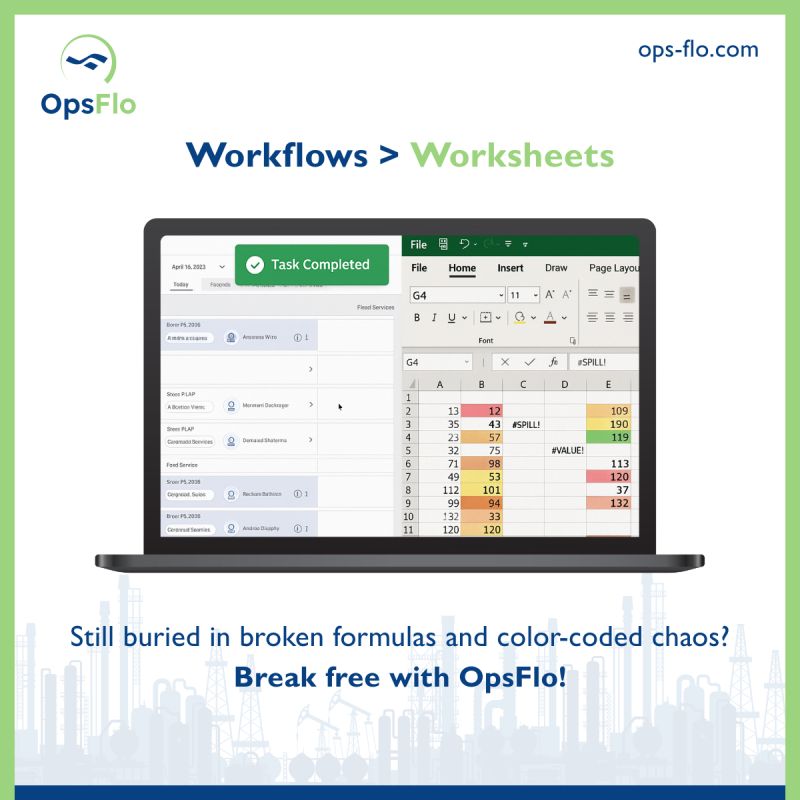
Wellsite Management Software: Running 240 Sites Without Losing Visibility
Wellsite Management Software: The Difference Between Chaos and Control at 240 Sites
You are responsible for 240 remote wellsites. Some are in the Delaware Basin, some in the Midland, a handful in the Bakken. Each site has a pump, a tank battery, a company man on location, and a crew that changes every twelve hours. The office is in Midland or Tulsa. You cannot drive to all of them in a week. Yet you must know, every morning, what each site spent, what each site produced, and which sites are leaking money.
That is the job. And the tool that separates the operators who sleep at night from the ones who get fired is wellsite management software. Not a spreadsheet. Not a group chat. Not a stack of paper tickets that show up three weeks late. This guide is the masterclass on running a modern oilfield operation with the discipline of a bank and the speed of a frac spread.
I have spent decades watching operators lose millions not to geology, but to administration. The rock is the rock. The price is the price. The only variable you control is how efficiently you capture, move, and bill what comes out of the ground. This guide shows you the operational framework, the financial math, and the field-tested implementation steps to run 240 sites without losing visibility.
The Core Operational Breakdown: Why 240 Sites Breaks Your Current System
Let us start with the arithmetic of scale. A single wellsite generates between 15 and 30 discrete operational events per day. You have a morning gauge, a fluid level check, a truck pickup, a pressure test, a chemical treatment, a wireline job, a frac stage, a separator dump, a tank reading. Each event requires a record. Each record requires a timestamp, a quantity, and an approval.
At 240 sites, that is roughly 3,600 to 7,200 events every single day. If each event takes a field hand five minutes to document on paper, you are consuming 300 to 600 man-hours per day just on documentation. That is the equivalent of 40 to 75 full-time employees who do nothing but write things down.
Now consider the ticket flow. Every service company that touches your well sends an invoice. A completion spread generates 200 to 400 separate tickets. A workover generates 50 to 100. Routine production hauling generates 10 to 20 per site per week. At 240 sites, you are processing tens of thousands of tickets per month.
The old way works until it does not. You hire more clerks. You buy more filing cabinets. You email more spreadsheets. Then one day a pumper quits, a ticket goes missing, and you pay for a frac pump that never ran. That is the breakdown. That is why you need a system, not a process.
The Daily Event Math at 240 Sites
Conservative estimate: 15 events per site per day.
240 sites x 15 events = 3,600 daily records.
At 5 minutes per paper record = 300 man-hours per day.
At a fully loaded field labor cost of $45/hour, that is $13,500 per day, or $405,000 per month, spent on documentation labor alone. Wellsite management software cuts that labor by 70 percent on the first day of implementation.
The Real Financial Drain: Show the Math on NPT, Tickets, and DSO
The financial drain is not the software subscription. It is the invisible bleed that happens when you cannot see your own operations. Let me show you the three specific places where money disappears.
Non-Productive Time (NPT) and the Cost of Waiting
NPT is the enemy. When a frac spread is waiting on a water truck that never showed, you are burning $30,000 to $50,000 per hour in spread rate. When a wireline unit sits idle because the previous ticket was not approved and the dispatcher will not release the next job, you are burning money.
A typical completion operation loses 5 to 10 percent of its total time to NPT. On a 30-day completion program with a $2 million total spread cost, that is $100,000 to $200,000 lost to waiting, miscommunication, and missing paperwork. Wellsite management software that tracks job status in real time reduces that NPT by half because the dispatcher sees the truck location, the ticket approval, and the next job assignment on one screen.
Ticket Errors and the Tare Weight Problem
The second drain is ticket errors. In the Permian, we measure fluids by the barrel and solids by the ton. A vacuum truck picks up 120 barrels of produced water. The pumper writes 120 on the ticket. The truck driver writes 121. The disposal facility writes 119. Three different numbers for the same load.
When you process that ticket through accounts payable, you pay the number on the invoice, which is usually the highest. Industry average ticket error rate is 3 to 5 percent. On a $50 million annual opex budget, that is $1.5 to $2.5 million in overpayments, duplicate charges, and phantom services every year.
Days Sales Outstanding (DSO) and the Cash Flow Squeeze
The third drain is on the revenue side. If you are an oilfield service company, your DSO is the number of days between when you pump cement and when the operator pays you. Industry average DSO in oilfield services is 60 to 90 days. Some operators stretch to 120.
Every day of DSO costs you working capital. On a $10 million monthly revenue run rate, reducing DSO from 75 days to 45 days frees up $10 million in cash. That cash is not theoretical. It is the difference between buying a new triplex mud pump and renting one at a premium.
The Annual Bleed at 240 Sites
Documentation labor waste: $405,000 per year.
Ticket overpayment at 4 percent error rate on $50M opex: $2,000,000.
NPT reduction potential (half of 7 percent on $24M spread cost): $840,000.
DSO reduction on $10M monthly revenue (75 to 45 days): $10,000,000 in freed cash.
Total direct savings plus cash recovery: over $3.2 million per year plus $10 million in working capital.
Why Generic Solutions and Spreadsheets Fail in the Field
I have seen operators try to run 240 sites with a shared Google Sheet. It works for about two weeks. Then a pumper in the Eagle Ford edits a row while a dispatcher in the Haynesville is looking at a cached version. Someone overwrites a ticket number. The formula breaks. The sheet gets emailed as an attachment, and now you have three versions of the truth.
Generic project management tools fail for a different reason. They are built for software teams and marketing departments. They do not understand a ticket line item for a frac manifold rental. They do not know the difference between a swab rig and a workover rig. They cannot enforce a signature requirement from a company man who is standing on location with gloves on.
The field is a harsh environment. It is 110 degrees in the Midland summer. It is minus 20 in the Bakken winter. The screens are covered in oil and dust. The network drops. The hands change every tour. Your software must be built for that reality. It must work offline and sync later. It must have big buttons for gloved fingers. It must be simple enough that a toolpusher with 30 years of experience will actually use it.
Spreadsheets and generic tools also fail on the approval chain. In the oilfield, the company man approves the ticket. Then the operations manager approves it. Then accounts payable matches it to the PO. With paper or spreadsheets, that chain takes days. With modern wellsite management software, the approval happens on the phone while the crew is still rigging down. The vendor gets paid faster. You get a discount for prompt payment. Everyone wins.
Step-by-Step Operational Framework for 240 Sites
Here is the framework I recommend. It is not complicated. It is disciplined. It has four stages.
Stage One: Standardize the Data Capture at the Edge
Every site must capture the same data in the same format. You cannot have one pumper recording fluid levels in inches and another in barrels. You cannot have one dispatcher using truck numbers and another using driver names. You must define the unit of measure for every ticket line item before you put a phone in anyone's hand.
Create a master catalog of services and materials. Each item has a unique code, a unit of measure, and a default price. The field hand selects from the catalog. They do not type freeform descriptions. This eliminates the 3 to 5 percent ticket error rate at the source.
Stage Two: Enforce the Digital Field Ticket
Replace the paper ticket with digital field ticketing on a rugged phone or tablet. The ticket is created on location. The quantities are entered. The company man signs on the screen. The ticket is transmitted to the office instantly. There is no lost paper. There is no illegible handwriting. There is no dispute about what happened on Tuesday because the digital record is timestamped and geotagged.
The digital ticket also captures the ancillary data that paper misses. It records the exact GPS location of the truck at the time of pickup. It records the start and stop time of the wireline job. It records the pump pressure and the stage count. This data becomes your audit trail and your operational intelligence.
Stage Three: Centralize the Approval Workflow
All tickets flow into a single dashboard. The operations manager sees every ticket that is pending approval across all 240 sites. They can filter by site, by vendor, by dollar amount, by date. They can approve a batch of routine tickets in one click. They can flag a suspicious ticket for review.
The approval workflow must match your existing authority matrix. A $500 ticket goes to the field supervisor. A $50,000 ticket goes to the operations manager. A $500,000 ticket goes to the VP. The software enforces this automatically. No one approves their own ticket. No ticket is paid without the correct chain of approval.
Stage Four: Integrate with Billing and Accounting
The final stage is the handoff to finance. The approved tickets must flow directly into your billing system or your accounts payable system. If you are an operator paying vendors, the tickets feed your AP system for payment processing. If you are a service company, the tickets generate invoices automatically.
This integration is where the DSO reduction happens. The invoice is generated the same day the work is done. It is sent electronically to the operator. The operator approves it through their own system. The payment cycle starts days or weeks earlier than it did with paper. This is the accelerated oilfield billing process that turns your receivables into cash.
Permian Field Case Study: Modernizing 240 Remote Wellsites
Let me give you a specific example from a Midland-based operator I worked with. They had 240 producing wells spread across the Permian Delaware and Midland basins. Some were vertical legacy wells making 5 barrels a day. Some were new horizontals making 1,000 barrels a day. The common thread was chaos.
They had 14 pumpers, each responsible for 15 to 20 sites. Each pumper carried a paper logbook and a stack of pre-printed tickets. They had 3 field supervisors driving between sites. They had 5 office clerks keying data into an aging accounting system. The company man on the completion side was using a different process entirely, with tickets faxed from the frac van.
The first audit showed the damage. Average ticket processing time from field to payment was 23 days. The error rate on manually keyed tickets was 6.2 percent. They had 47 unresolved ticket disputes with vendors, totaling $380,000. The DSO on their service company invoices was 78 days. They were paying $18,000 per month in overtime for clerks during month-end close.
We implemented a staged rollout. Month one covered the completion side, the highest dollar volume. Month two covered the production pumpers in the Delaware. Month three covered the Midland assets and the water hauling vendors.
The results after six months were measurable. Ticket processing time dropped from 23 days to 2 days. The error rate dropped from 6.2 percent to 0.4 percent. The 47 disputes were resolved because the digital record showed exactly what happened. They recovered $310,000 of the $380,000 in disputed charges.
The DSO on service invoices dropped from 78 days to 41 days. That freed up $14.2 million in working capital on their $38 million annual service revenue. The overtime for month-end close was eliminated. The 5 office clerks were reassigned to higher value work, analyzing production trends and vendor performance instead of keying numbers.
Case Study Results at 240 Wellsites
Ticket processing: 23 days reduced to 2 days.
Manual error rate: 6.2 percent reduced to 0.4 percent.
Disputed charges recovered: $310,000.
DSO reduction: 78 days to 41 days, freeing $14.2 million.
Office overtime: eliminated.
Net annual savings: $1.1 million in direct costs plus $14.2 million in cash.
Implementation Checklist for Supervisors and Office Dispatch
You cannot flip a switch and modernize 240 sites in a weekend. You need a plan. Here is the checklist I use with every operator.
Week One: Inventory and Standardize
- List every service and material you purchase. Create a master catalog with codes and units.
- Map your current approval authority. Who can approve what dollar amount?
- Identify your top 10 vendors by spend. They are your pilot group.
- Choose 5 representative sites for the pilot. Include one remote site with poor connectivity.
Week Two: Configure and Train the Pilot Group
- Set up the software with your catalog and approval matrix.
- Train the pumpers and company men at the 5 pilot sites. Keep the training to 30 minutes. Focus on the three most common ticket types.
- Run the pilot for 7 days in parallel with paper. Compare the digital tickets to the paper tickets. Reconcile every difference.
Week Three: Expand to the Field Supervisors
- Give the field supervisors access to the dashboard. Train them on the approval workflow.
- Have them approve tickets from the pilot sites on their phones.
- Measure the approval cycle time. It should be under 2 hours.
Week Four to Eight: Full Rollout in Waves
- Roll out to 50 sites per week. Do not do all 240 at once.
- Assign one office dispatcher as the rollout lead. They handle questions and issues.
- Stop printing paper tickets at the end of week six. Make the digital ticket the only valid record.
Ongoing: Measure and Optimize
- Track your DSO weekly. Watch it drop.
- Track your ticket error rate monthly. It should be below 1 percent.
- Review the dispute log monthly. Resolve issues within 5 days.
- Use the ROI calculator to calculate your specific savings and present the numbers to your CFO.
Frequently Asked Questions
Will my pumpers and company men actually use this software?
Yes, if you make it simple and if you enforce it. The software must work on a phone they already carry. It
No comments yet
Be the first to share your thoughts.
Leave a Reply
Comments are disabled on the shared-hosting build. If you want to respond to this article, email info@ops-flo.com and mention "Wellsite Management Software: Running 240 Sites Without Losing Visibility".
Contact OpsFlo