

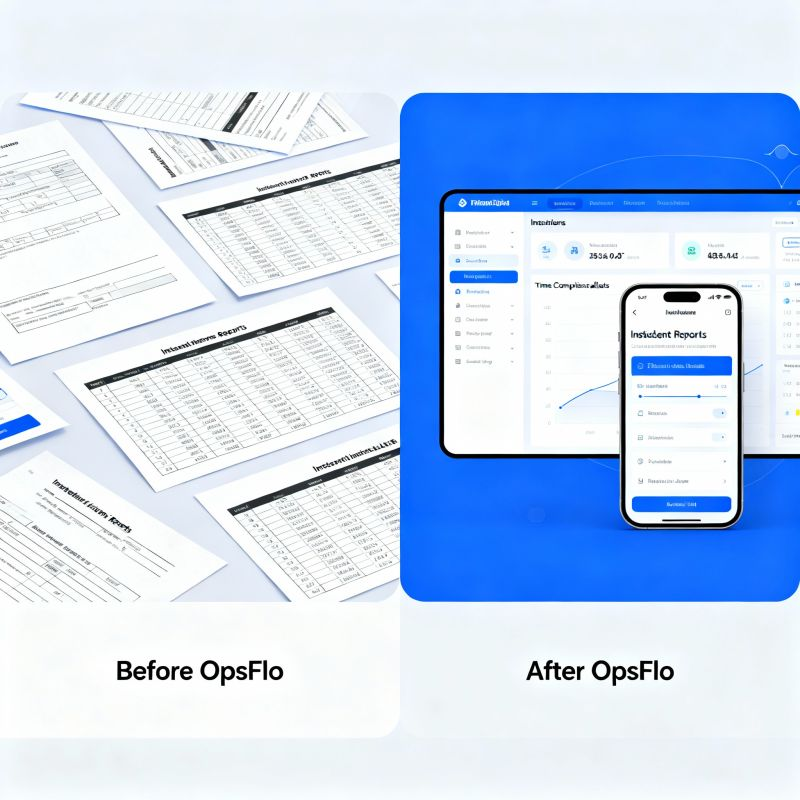
Why Field Service Software Fails Oilfield Companies (And What To Use Instead)
The Core Operational Breakdown
The question of why field service software fails oilfield companies is not about missing features. It is about a fundamental mismatch between the software's assumptions and the physical reality of your operation. A generic field service tool is built for HVAC technicians and cable installers. Those jobs have predictable routes, fixed parts lists, and a customer who is present at the site. Your world is different. Your world involves a wireline unit parked next to a frac manifold in the Permian Delaware at 3 AM, with a company man who will not sign a ticket until the pressure chart matches the pump data.
When the software fails, it fails at the point of data entry. The pumper is standing in the rain with gloves on. He has a tablet that keeps losing signal because the nearest cell tower is 20 miles away. The generic app requires him to fill out 14 fields before he can capture a signature. He skips fields. He writes notes in the wrong box. The ticket goes to the office with a tare weight that is off by 400 pounds. That error triggers a revenue deduction of $1,200 on a $14,000 ticket. That is the core breakdown. The software does not understand the field, so the field rejects the software.
The second part of the breakdown is the workflow mismatch. Generic software routes a job to a technician and tracks his arrival. That works for a refrigerator repair. It does not work for a swab rig operation where the job is dispatched by the operator's production foreman, not by your office. The schedule changes four times before lunch. The rig moves to a different well because the first well is still flowing back. The generic software cannot handle that dynamic reassignment. It flags the job as late. It sends alerts to the dispatcher. The dispatcher spends 30 minutes overriding false alerts. That is wasted time that you pay for.
The third breakdown is the approval chain. In oilfield services, the ticket is not final when your driver signs it. It is final when the operator's representative approves it. That approval often goes through PIDX, OpenInvoice, or Cortex. Generic field service software does not speak those protocols. It generates a PDF and emails it to an inbox that nobody monitors. Your invoice sits for 14 days. Your DSO climbs from 45 days to 60 days. The software promised you faster billing, but it delivered a slower accounts receivable cycle because it ignored the industry's actual settlement infrastructure.
The Real Financial Drain: Show the Math
Let us put concrete numbers on why field service software fails oilfield operations. Consider a mid-sized pressure pumping company with 12 frac spreads operating in the Midland Basin. Each spread runs an average of 18 tickets per week. That is 216 tickets per week across the fleet. The company uses a generic field service app that requires manual data entry for each ticket. The average ticket takes 12 minutes to complete in the field, including re-entering data that the app failed to capture automatically.
Twelve minutes per ticket times 216 tickets equals 2,592 minutes per week. That is 43.2 hours of field labor spent fighting the software. At a blended burdened rate of $65 per hour for a field supervisor, that is $2,808 per week in pure waste. Over a year, that is $146,016. That money buys nothing. It does not pump a barrel. It does not move a rig. It is the cost of software that does not fit.
The Math of Ticket Errors
Generic software creates data entry errors. A common error is the misclassification of a pump-down service vs. a cementing service on the same ticket. The rate difference is $8.50 per unit. On a 40-unit job, that is a $340 error. If 5% of your tickets have this error, and you run 10,000 tickets per year, that is 500 errors. At an average of $300 per error, you lose $150,000 per year to incorrect billing that the operator catches and deducts. This is not a rounding error. This is a line item on your P&L.
The bigger drain is the days sales outstanding impact. A generic tool sends an invoice PDF to the operator's AP department. The operator uses OpenInvoice. Your PDF sits in a queue. The operator's system expects an XML file with specific line item codes. Your PDF does not match. The invoice is rejected. You resubmit. That cycle takes 9 days. Your DSO moves from 48 days to 57 days. On $40 million in annual revenue, that 9-day delay costs you $986,301 in working capital. At a 10% cost of capital, that is $98,630 per year in financing costs. The software did not save you money. It cost you money.
Why Generic Solutions and Spreadsheets Fail in the Field
The question of why field service software fails oilfield companies often comes down to the offline problem. The Permian Basin is vast. The Delaware side has dead zones. The Bakken has brutal winters where a tablet screen freezes. A generic SaaS tool assumes you have connectivity. It assumes you can sync in real time. When you are 30 miles west of Kermit, Texas, at 2 PM in August, the heat causes the tablet to throttle. The app times out. The pumper loses his draft. He starts over. He hates the tool. He goes back to paper tickets.
Spreadsheets are the other failure point. A supervisor builds a master tracker in Excel. He emails it to the office. The office updates it. The version control becomes a nightmare. The field sees a ticket that the office has already voided. The office sees a ticket that the field has not submitted. The reconciliation takes three days at the end of the month. The accountant manually matches 400 tickets against the pump logs. She finds 17 discrepancies. She calls the field supervisor. He is on location at a frac in the Haynesville. He cannot verify the data. The discrepancy carries to the next month. This is not an operations problem. This is a data architecture problem.
Generic software also fails because it does not understand the hierarchy of approval. In oilfield services, the company man has the final say. He is the operator's representative on location. He is under pressure to keep the frac going. He will not stop to review a digital ticket on a small screen. He wants a clean summary that matches the daily report. Generic software gives him a cluttered interface with too many buttons. He signs it to get it done. He does not verify the details. Later, the operator's revenue accountant finds the error. The deduction comes 60 days after the job. You cannot recover that money. The generic software created the illusion of approval without the substance of verification.
Step-by-Step Operational Framework for Oilfield Success
To fix the problem, you need a framework that starts with the field reality. Step one is to define the minimum data set for a valid ticket. For a frac job, that includes the well name, API number, date, service type, pump hours, fluid volume, sand volume, and the company man's name. For a vacuum truck, it includes the pickup location, drop location, fluid type, and measured volume with a certified meter reading. The ticket must be completable in 3 minutes or less. If it takes longer, your pumper will skip fields or invent data.
Step two is to design for offline-first operation. The software must allow full ticket creation, signature capture, and photo attachment without a network connection. The data syncs when the device finds a signal. This is non-negotiable. The Eagle Ford has better coverage than the Delaware, but you cannot rely on it. Your field crew should never wait for a spinner to sync before moving to the next well.
Step three is to integrate with the operator's settlement system from day one. If your customer uses OpenInvoice, your ticket data must convert to the PIDX standard automatically. If they use Cortex, your system must map to their required fields. This is the difference between a 2-day invoice cycle and a 14-day cycle. The software should handle this mapping in the background. Your office staff should not be re-keying data into a portal.
Step four is to create a single source of truth for the daily report. The operator's field foreman wants a morning summary of all activity from the previous day. That summary must include the exact volumes, hours, and costs that will appear on the invoice. If the daily report and the invoice do not match, the operator will reject the invoice. The software must generate both from the same underlying ticket data. No separate entry. No reconciliation. No exceptions.
Permian Case Study Breakdown with Exact Metrics
Consider a real example from a wireline operator running 6 units in the Permian Delaware. They used a generic field service tool for 18 months. The tool tracked jobs and captured signatures, but it did not integrate with their customers' billing portals. Their average ticket-to-invoice time was 11 days. Their DSO was 63 days. Their error rate on first-pass invoice acceptance was 71%. That means 29% of invoices were rejected or adjusted.
They switched to an oilfield-specific platform that focused on the ticket-to-cash cycle. The new system allowed the field crew to build a ticket in 2 minutes with offline capability. It automatically mapped the data to OpenInvoice format. The ticket-to-invoice time dropped to 2 days. The first-pass acceptance rate rose to 96%. The DSO dropped from 63 days to 41 days. On $28 million in annual revenue, that 22-day DSO reduction freed up $1.69 million in working capital.
The DSO Calculation
Annual revenue: $28,000,000
Daily revenue: $76,712
DSO reduction: 22 days
Cash freed: $76,712 x 22 = $1,687,664
At 12% cost of capital, annual savings: $202,520
This is not a soft benefit. This is cash in your operating account.
The field crew adoption rate also improved. The generic tool had a 40% compliance rate because the crew found it too slow. The new tool had a 98% compliance rate because it was faster than paper. The crew did not need training on why the tool mattered. They needed a tool that did not slow them down. That is the fundamental lesson. The software must serve the pumper first. If the pumper uses it correctly, the office gets clean data. If the pumper fights it, no amount of office-side analytics will fix the garbage in the system.
Implementation Checklist for Supervisors and Office Dispatch
Before you deploy any new system, run this checklist. First, verify that the software works fully offline. Test it in a basement or a metal building. If it cannot handle a 10-minute loss of signal without losing data, reject it. Second, confirm that the ticket template matches your actual service catalog. If you run both a frac pump and a cement unit, the software must handle different rate structures on the same job. Third, check the integration path. Ask the vendor if they support PIDX and OpenInvoice natively. If they say they will build a custom API for you, that is a red flag. Custom APIs break. Native integrations survive.
Fourth, test the approval flow with one friendly customer. Run 20 tickets through the full cycle. Measure the time from job completion to customer approval. If it is more than 72 hours, the workflow is broken. Fifth, train the office dispatch team on exception handling. They need to know what to do when a ticket comes in with a missing signature. They need a process to contact the field supervisor immediately, not at the end of the week. Sixth, set a KPI for first-pass acceptance. Track it weekly. If it falls below 90%, investigate the root cause immediately.
Finally, ensure the software provides a clear audit trail. When an operator disputes a charge 90 days after the job, you need to show the exact pump data, the exact volume, and the exact signature. If your software cannot produce that evidence in under 5 minutes, you will lose the dispute. You will also lose the customer's trust. The audit trail is your defense in a market where margins are thin and operators are aggressive about deductions.
Frequently Asked Questions
Q: Is the issue with generic software the features or the user adoption?
A: It is both, but adoption is the symptom of poor design. A pumper in the field will not use a tool that requires 14 fields and a stable internet connection. The software must be built for the physical environment. If the tool takes longer than paper, the crew will use paper. The solution is to design for speed and offline capability first. When the tool is faster than paper, adoption follows naturally.
Q: Can we fix our current generic software with better training?
A: No. Training cannot fix a workflow mismatch. If the software does not integrate with OpenInvoice, no amount of training will make it do so. If the software requires online connectivity, training will not create a signal in the Delaware basin. You need a tool that matches your operational reality. Training is for teaching your specific processes, not for compensating for fundamental software deficiencies.
Q: What is the fastest way to reduce DSO for an oilfield service company?
A: The fastest way is to fix the first-pass acceptance rate. If your invoices are rejected due to formatting or data mismatches, the approval cycle stalls. Use a system that generates the invoice in the operator's required format from the field ticket data. This eliminates the rework cycle. Many companies see a 15 to 20 day DSO reduction within 60 days of implementing this change. You can model your specific savings with an ROI calculator that accounts for your ticket volume and current DSO.
Q: How do we handle the company man who refuses to sign a digital ticket?
A: This is a common friction point. The solution is to make the digital ticket look like the paper ticket he has used for 20 years. The layout must be familiar. The data must be legible. Offer to print a copy for his records. Most company men will accept a digital signature if the process is faster and does not require them to learn a new system. The key is to have the field supervisor present the ticket as a summary of the job, not as a software exercise.
Clear Executive Takeaway
The reason why field service software fails oilfield companies is that it treats your operation like a plumbing repair business. Your operation is defined by remote locations, harsh conditions, complex approval chains, and strict industry standards. The software must be built for those realities. If it is not, you pay for it in field labor waste, billing errors, and a bloated DSO.
The solution is not to try harder with a bad tool. The solution is to adopt a platform designed for the ticket-to-cash cycle in oil and gas. Look for offline-first design, native integration with PIDX and OpenInvoice, and a ticket template that matches your service catalog. Look for a system that produces the daily report and the invoice from the same data set. That is the difference between a tool that creates work and a tool that eliminates it.
If you are tired of fighting your software, you can see a detailed breakdown of the failure points in off-the-shelf systems. For a practical next step, start with digital field ticketing to capture clean data at the source. Then move to accelerated oilfield billing to compress your invoice cycle. If you want to know exactly what your operation is losing, request a revenue diagnostic and get a specific number for your DSO and error rate.
The field is hard enough. Your software should not make it harder. Choose a tool that respects the reality of your work. Choose a tool that gets you paid faster. The arithmetic is clear. The choice is yours.
To see how your team can eliminate this operational drag, explore the Why Field Service Software Fails Oilfield Companies (And What To Use Instead) solution on OpsFlo or schedule a diagnostic session with our operations engineering team.
No comments yet
Be the first to share your thoughts.
Leave a Reply
Comments are disabled on the shared-hosting build. If you want to respond to this article, email info@ops-flo.com and mention "Why Field Service Software Fails Oilfield Companies (And What To Use Instead)".
Contact OpsFlo