


WorkWave Alternative Oil And Gas Dispatchers Are Asking For
The core problem is not software. It is the difference between dispatching a truck and managing a revenue cycle. If you are searching for a WorkWave alternative oil and gas operators actually use, you are not looking for a prettier map. You are looking for a system that turns a completed job into a paid invoice in days, not weeks.
Hook and the Core Operational Breakdown
You run vacuum trucks in the Delaware Basin. Or you dispatch wireline units across the Midland. Maybe you own a fleet of frac water haulers working the Haynesville. Your day is not about scheduling software. Your day is about keeping the company man happy while the toolpusher is waiting on location and the pumper is calling about a missed ticket.
Generic dispatch platforms treat your operation like a pizza delivery service. They show dots on a map and routes on a screen. They do not understand that a "stop" is actually a 14-hour frac job with a crew change at 3 AM and a 45-minute wait at the gate because the safety orientation was not completed.
When you evaluate a WorkWave alternative oil and gas operators need, you must look at the entire operational loop. That loop starts when the phone rings and ends when the money hits your account. Most software stops at the first half. It gets the truck to location, then abandons you to a pile of paper tickets and a billing clerk working weekends.
The operational breakdown in this industry has five distinct phases. First, you have the request. The operator calls, emails, or sends a field ticket through a portal like Cortex or OpenInvoice. Second, you have the dispatch. You assign the asset, the crew, and the location. Third, you have the execution. The job happens in the field. Fourth, you have the documentation. The pumper or operator signs the ticket. Fifth, you have the billing. You convert that signed ticket into an invoice and chase payment.
A true oil and gas dispatch platform handles all five. A generic alternative handles two and a half. That gap is where you lose money.
The Real Financial Drain: Show the Math
Let us talk about the cost of doing nothing. You have 25 vacuum trucks running in the Permian. Each truck generates an average of 2.5 tickets per day. That is 62.5 tickets per day, or roughly 1,250 tickets per month. If your ticket error rate is 5 percent, you are reworking 62 tickets a month.
Each reworked ticket costs you 45 minutes of a dispatcher's time and 20 minutes of a billing clerk's time. At a blended rate of $35 per hour, that is $38 per ticket in labor. Multiply that by 62 tickets and you are burning $2,356 per month just fixing mistakes. That does not count the days added to your payment cycle.
Now consider the delay. If a ticket is rejected because the service address is wrong or the PO number is missing, you do not get paid that cycle. Operators run payment cycles on strict schedules. Miss the cutoff on Tuesday and you wait another two weeks. At an average ticket value of $850, a 2-week delay on 62 tickets means you are financing $52,700 of work you already performed.
The arithmetic gets worse when you look at DSO. Days Sales Outstanding in oilfield services averages 60 to 75 days. If you bill $2 million per month, every single day of DSO reduction puts $66,000 back in your working capital. Cut 10 days off your cycle and you just freed up $660,000. That is not a software feature. That is a line of credit you do not have to pay interest on.
The Monthly Cost of Paper Tickets
- 25 trucks x 2.5 tickets/day = 62.5 tickets/day
- 1,250 tickets/month at 5% error rate = 62 reworks
- Labor cost per rework = $38 (dispatcher + billing)
- Monthly labor waste = $2,356
- Delayed revenue on rejected tickets = $52,700 financed
- Annualized waste = $28,272 in labor alone
Why Generic Solutions and Spreadsheets Fail in the Field
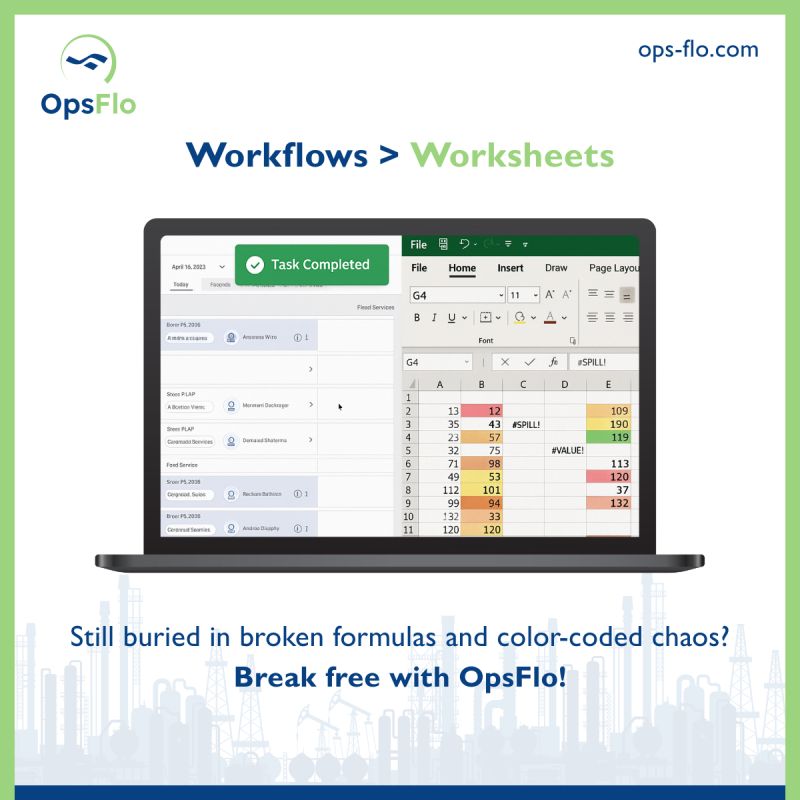
Spreadsheets are the default tool in this industry. Every dispatcher has a master workbook with color-coded tabs. It worked when you had 5 trucks and knew every driver by name. It fails when you have 40 assets, 3 frac crews running simultaneously, and a new coordinator in the office who has never been on a location.
The failure mode is silent. A spreadsheet does not tell you that a driver has been waiting at the man camp for 4 hours. It does not flag that a ticket is missing a signature. It does not remind you that the operator changed the PO number at 10 PM and your night crew just used the old one.
Generic dispatch software fails differently. It forces your field operations into a model built for couriers and HVAC technicians. It asks for a "service window" when you need a "start time when the frac crew is ready." It does not understand that your wireline unit cannot just "route around traffic" because it is carrying 20,000 pounds of explosives and must follow specific DOT corridors.
The deeper problem is integration. Your billing department uses OpenInvoice or Cortex. Your field crews use their phones. Your office runs QuickBooks or NetSuite. A generic platform does not talk to any of these without expensive middleware. You end up double-entering data, which creates the exact errors you were trying to eliminate.
The real question is not whether the software has a nice interface. The question is whether it understands the difference between a swab rig ticket and a frac manifold ticket. The pricing structures are different. The approval chains are different. The tax implications are different. A generic system treats them the same, and that is how you lose money.
Step-by-Step Operational Framework for Oilfield Dispatch
You need a framework that matches the physics of your operation. Here is the sequence that works across basins, from the Bakken to the Eagle Ford.
Step 1: Centralize the Request Intake
Every job starts with a request. It comes in as a phone call, a text, an email, or a portal notification. Your system must capture that request in one place and create a digital job record. The record must include the operator name, the lease, the well name, the specific service requested, and the PO number. If any of that information is missing, the system should flag it before you dispatch a single asset.
This is where most operations fail. They dispatch on a verbal "hey, can you send a truck to the Smith #4H?" and figure out the paperwork later. Later costs you money. Later means the ticket gets generated with incomplete data, and the operator rejects it.
Step 2: Assign Assets Based on Real Availability
Your dispatch board must show actual asset status, not just location. A vacuum truck that is on location but waiting to unload is not available. A frac water hauler that is in the shop for a pump rebuild is not available. A wireline unit that is 2 hours from location and needs a crew change in 1 hour is a liability.
The system must track hours of service for drivers, maintenance schedules for equipment, and the specific certifications required for each job. If a driver lacks the H2S certification for the location, the system should prevent that assignment.
Step 3: Execute with Digital Field Ticketing
The moment the job is complete, the crew creates the ticket on a mobile device. The ticket must auto-populate with the job data from the dispatch. The driver or crew chief adds the actual volumes, the pump hours, the fluid levels, and any notes about delays or standby time.
The operator representative signs on the glass. The timestamp is recorded. The GPS location is locked. The photo of the gauge or the load ticket is attached. This is not a nice-to-have. This is your evidence when the operator disputes the volume or the hours.
You need a digital field ticketing system built for oilfield services, not a generic form builder. The form must handle unit-of-measure conversions, API gravity adjustments, and the specific line items that operators expect to see on a PIDX-compliant ticket.
Step 4: Route Approvals Automatically
Once the ticket is signed, it does not sit in a truck cab for three days. It routes instantly to the office. The system checks the ticket against the PO. If the PO has a cap and the ticket exceeds it, the system flags it for approval. If the ticket is within scope, it moves to the billing queue.
The approval chain must match your contracts. Some operators require a company man signature. Others require a field supervisor and a separate office approval. The system must handle both without manual intervention.
Step 5: Bill and Reconcile in Days, Not Weeks
The final step is converting approved tickets to invoices. The system should generate the invoice in the operator's preferred format. It should push the invoice to OpenInvoice or Cortex if that is what the operator uses. It should match the payment when it arrives and flag any short-pays or deductions automatically.
This is where you achieve accelerated oilfield billing cycles. When the ticket is signed in the field and the invoice is generated the same day, you cut days off your cycle. You do not need to hire another billing clerk. You need a system that does the work.
Permian Field Case Study: Exact Metrics
Consider a mid-sized water transfer company operating 35 assets in the Permian Delaware Basin. They ran a mix of vacuum trucks, frac water haulers, and a small fleet of hot oil units. Before switching their dispatch and billing process, they operated on a combination of a generic routing platform and a paper ticket system.
Their baseline metrics were typical for the industry. They processed 1,800 tickets per month. Their ticket rejection rate was 7 percent, meaning 126 tickets bounced back for corrections. Their average DSO was 68 days. Their billing department had two full-time clerks who spent 60 percent of their time re-entering data and chasing signatures.
They moved to a purpose-built oilfield operations platform. The transition took 3 weeks. They loaded their asset list, their driver qualifications, and their contract terms into the system. They trained their dispatchers for 2 days and their field crews for half a day.
The results showed up in the first full billing cycle. Ticket rejection rate dropped from 7 percent to 1.2 percent. That eliminated 104 reworked tickets per month. At their internal cost of $42 per rework, they saved $4,368 per month in direct labor.
More importantly, their DSO dropped from 68 days to 54 days in 90 days. They billed an average of $1.4 million per month. The 14-day reduction freed up $653,000 in working capital. That capital went to pay down their equipment financing line, saving them $6,500 per month in interest at their 12 percent APR.
They also reduced their standby time. The dispatch board showed real-time asset status, so they stopped sending trucks to locations that were not ready. Standby hours dropped from 11 percent of total billable hours to 6 percent. On their monthly revenue base, that recovered $38,000 in previously unbillable time.
The 90-Day Impact
- Ticket rejections: 126/month down to 22/month
- Labor savings on reworks: $4,368/month
- DSO reduction: 68 days to 54 days
- Working capital freed: $653,000
- Interest savings: $6,500/month
- Standby hours: 11% down to 6%
- Recovered billable time: $38,000/month
Implementation Checklist for Supervisors and Office Dispatch
Switching systems is not a software project. It is an operational change. You need a plan that your field crews will actually follow. Here is the checklist that works.
- Audit your current ticket flow. Take 20 tickets from last month. Trace each one from the field to the payment. Identify where the delays happen. You will find that 80 percent of the delay is in the office, not the field.
- Map your contract terms. Write down the specific approval requirements for each of your top 5 operators. Know their PO caps, their line item requirements, and their invoice format preferences.
- Clean your master data. Your asset list, your driver list, and your customer list must be accurate before you load them into any new system. Garbage in, garbage out applies everywhere.
- Load the system with your real workflows. Do not accept default settings. Configure the ticketing fields to match what your operators actually require.
- Train your dispatchers first. They are the power users. Give them 2 full days of training. Let them build test tickets and run test dispatches before you go live.
- Pilot with one crew or one district. Run the new system in parallel with your old process for 1 week. Compare the outputs. Fix the gaps before you roll out to the whole fleet.
- Train field crews on mobile capture. The single biggest adoption barrier is the field crew. Show them that the mobile app is faster than the paper ticket. Give them a script for asking the company man for a signature on the glass.
- Set a hard cutover date. Do not run two systems forever. Pick a date, stop accepting paper tickets, and enforce it.
Before you commit to a platform, use an ROI calculator to model your specific fleet size, ticket volume, and current DSO. The numbers will tell you whether the investment pays back in 30 days or 12 months.
Frequently Asked Questions
What is the difference between a generic dispatch tool and an oil and gas operations platform?
A generic tool schedules assets and tracks locations. An oil and gas operations platform handles the full revenue cycle. It starts with the service request, manages the dispatch, captures the signed field ticket, routes it for approval, generates the invoice, and reconciles the payment. The difference is whether you get paid faster or just know where your trucks are.
Can we integrate with OpenInvoice or Cortex for operator billing?
Yes. A proper platform built for oilfield services connects directly to the major operator portals. Your approved tickets flow into the operator's system in the format they expect. This eliminates the manual re-entry that causes errors and delays. If your operator uses a proprietary portal, the platform should support PDF uploads and automated status tracking.
How long does implementation take for a fleet of 20 to 50 assets?
Most operations go live in 2 to 4 weeks. The timeline depends on the quality of your master data and the complexity of your contract terms. The software setup is fast. The data cleanup and crew training are what take time. A focused implementation with a dedicated project manager can compress that to 2 weeks.
What happens to our existing tickets and open invoices during the transition?
You do not abandon your open receivables. The new system should allow you to import outstanding tickets and invoices so you have a single view of your revenue cycle. You will close out the old paper process while the new system handles new work. This parallel run typically lasts 1 to 2 weeks.
Clear Executive Takeaway
To see how your team can eliminate this operational drag, explore the WorkWave Alternative Oil And Gas Dispatchers Are Asking For solution on OpsFlo or schedule a diagnostic session with our operations engineering team.
No comments yet
Be the first to share your thoughts.
Leave a Reply
Comments are disabled on the shared-hosting build. If you want to respond to this article, email info@ops-flo.com and mention "WorkWave Alternative Oil And Gas Dispatchers Are Asking For".
Contact OpsFlo